Business events
Charity Event Photo Sharing, With A Way To Stay In Touch.
At a fundraiser the story is told by the people who came. Charity event photo sharing collects their photos and messages with one QR code, and gives each of them the choice to hear from you again.
Pay once per event by card or invoice, or subscribe if you run events all year.

How Fundraisers Use It
Photos From Every Supporter
For runs, balls, bake sales and open days. Supporters share in full resolution, from wherever they are.
Messages Of Support
Voice, video and written messages for the people the event is for.
A List Of People Who Said Yes
Collect names and emails with a clear opt-in, and download them as a spreadsheet.
Content For Your Next Appeal
Honest photos for your report and your next campaign, once you have people’s agreement.
New for business events
EveryExtra LIVE: Q&A, Polls And Quizzes From Every Seat
Attendees ask questions, vote and play along from their phones. Your presenter sees it all on a private link, and the results build live on the big screen. It comes with the same QR code as your photo gallery.
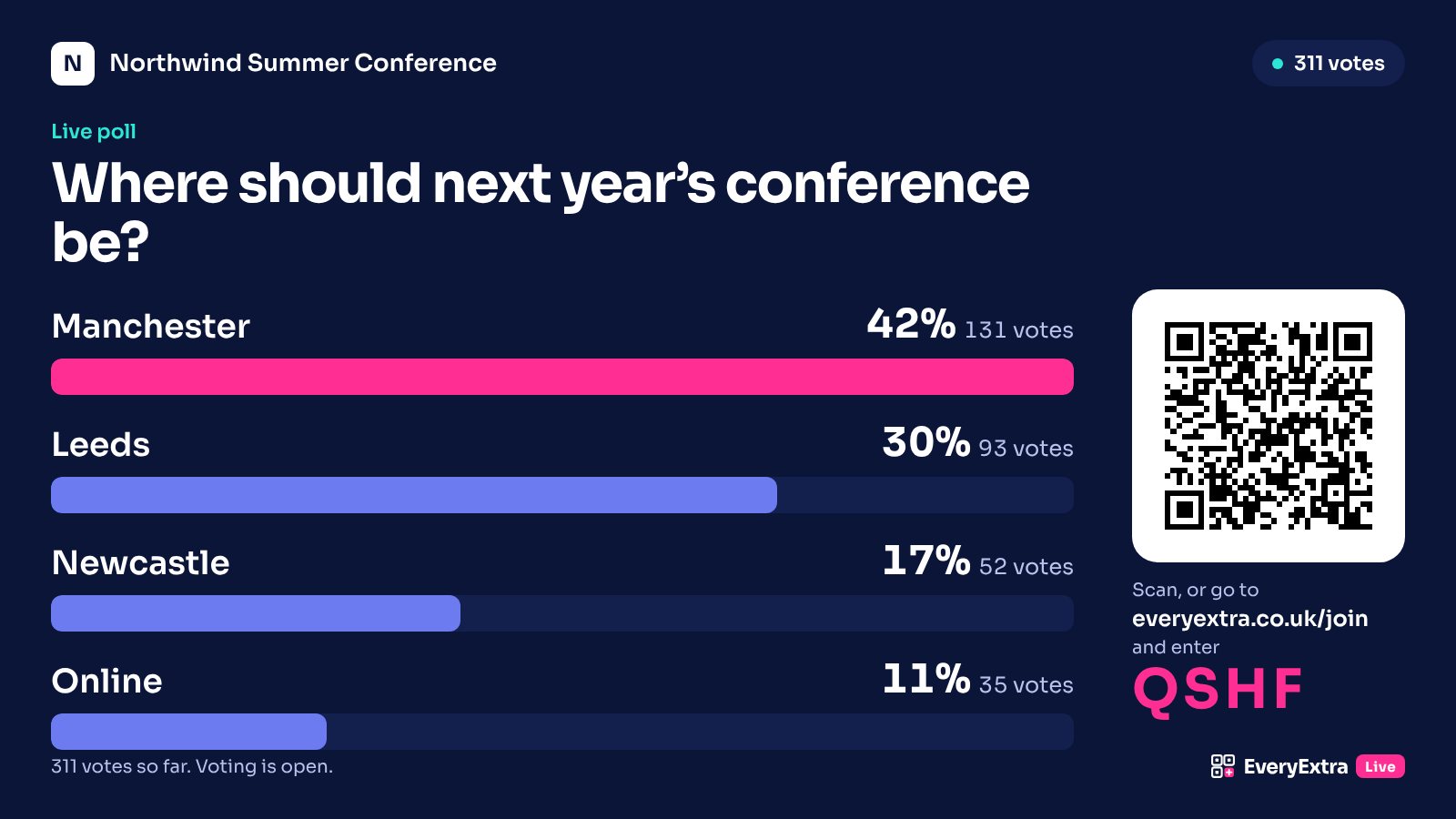
On The Day, And The Highlights After
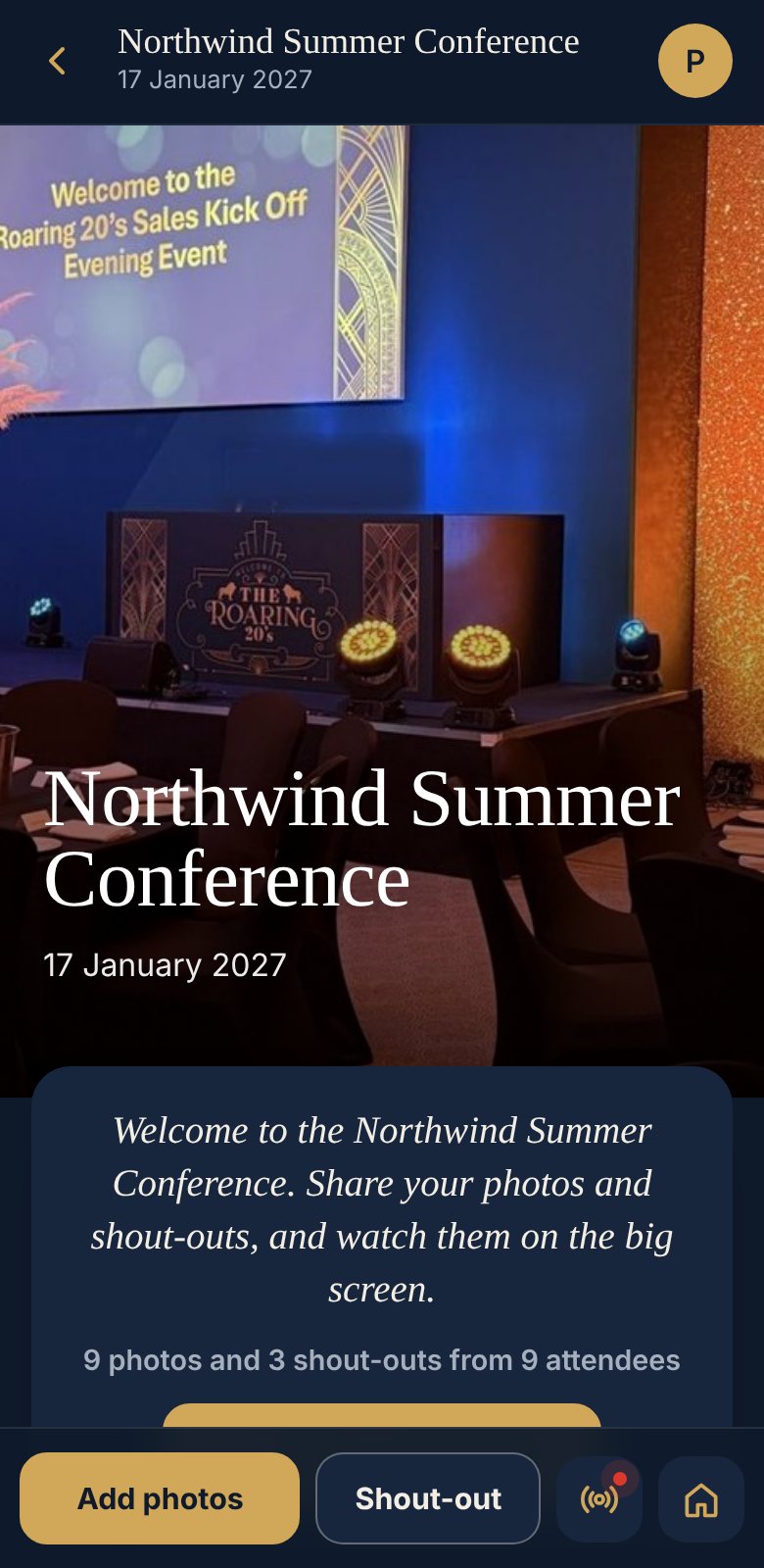
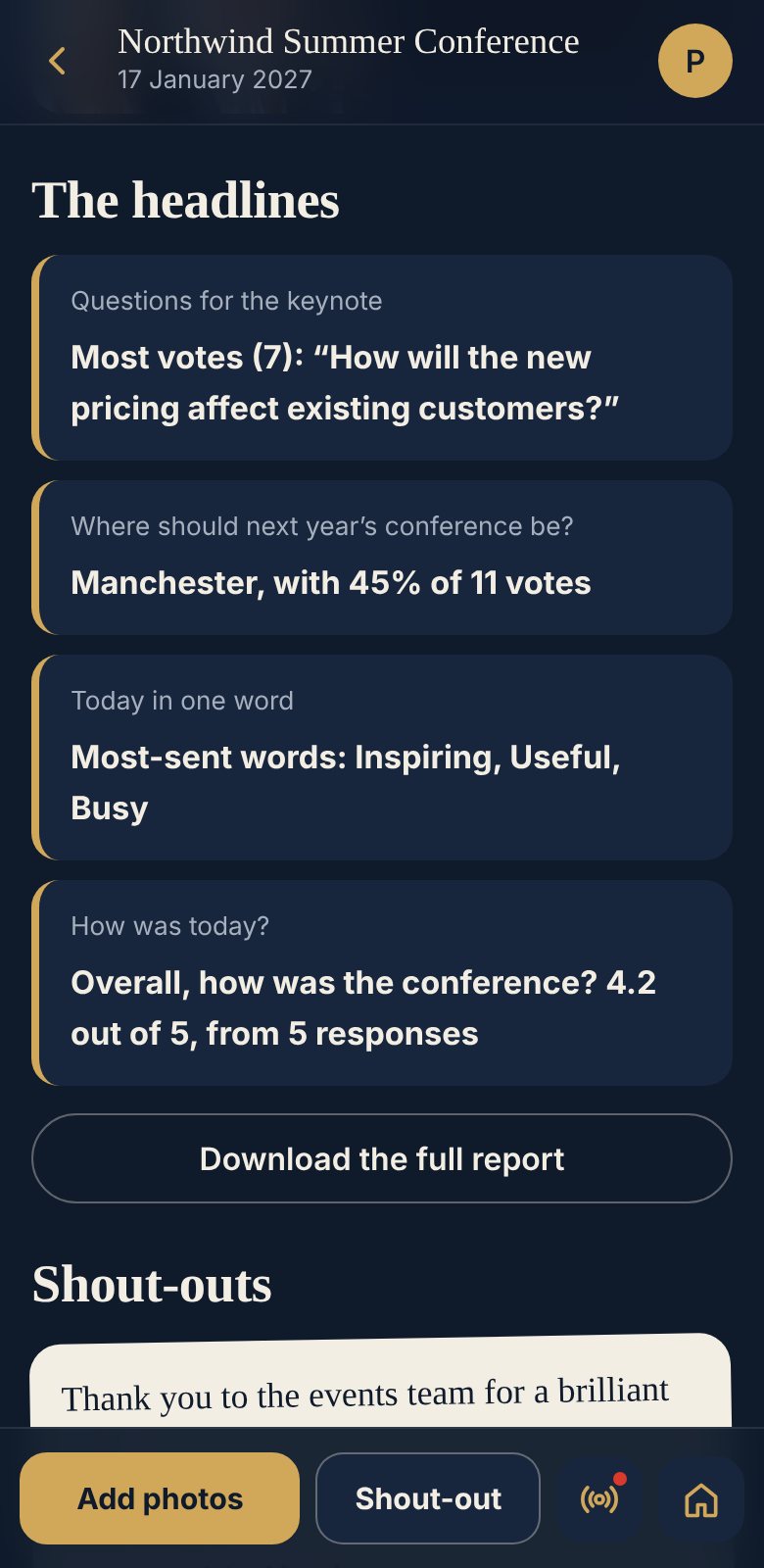
Every attendee’s photos and shout-outs land in one feed, sorted into the parts of your agenda. The day after, it becomes your Afterglow: the highlights, the headlines from your polls and Q&A, and a report to take back to the office.
Three Steps
Create Your Event
Choose charity or fundraiser, add your logo and write your opt-in wording.
Share The QR Code
On the programme, the tables, the start line or your event page.
Thank Everyone
Send the gallery link round afterwards, and download your supporter list.
What It Uses
Every feature shares the same link and the same guest list.
Photo & Video Sharing
Wedding photo & video sharing that starts with the QR code on each table.
EveryExtra LIVE
EveryExtra LIVE gives your business event live Q&A, polls and quizzes in the same gallery your attendees already scan for photos.
Afterglow: The Story Of Your Day
Afterglow turns every photo, video and message your guests shared into a keepsake you’ll come back to: a highlight reel, your day hour by hour, the guestbook and the photos everyone loved most.
Live Slideshow
Put the live wedding photo slideshow on the venue screen or projector.
Guides
Collecting Guest Details At A Business Event, The Right Way
Collecting guest details at a business event the right way: what to ask, how to word the opt-in, what UK rules expect, and the mistakes to avoid.
Read the guide50 Photo Challenge Ideas For Weddings And Parties
Fifty photo challenge ideas for weddings, birthdays and staff parties, sorted by type, with tips on how many to set and how to get guests joining in.
Read the guideQuestions
Is there a price for charities?
Ask us for a quote and tell us about your event. We’ll reply with what we can do.
Can supporters who weren’t there take part?
Yes. Anyone with the link can add a photo or leave a message.
Can children’s photos be included?
Only with a parent’s or guardian’s agreement. We suggest approving photos before they’re shown and adding a PIN.
Photos That Help You Raise More
Supporters give more when they can see the difference they make, and they share more when they’re proud to have been there. A gallery of photos from your gala, your ball or your fun run, shared the next morning, keeps the night alive and gives supporters something to post, which brings in new ones.
On The Night
- Show the live slideshow between speeches and auctions
- Run a live poll or quiz to keep tables involved
- Use spin the wheel for the raffle
- Thank your sponsors on the slideshow throughout the evening
- Collect supporters’ details with a clear opt-in for your next appeal
After The Night
Send the gallery link in your thank-you email, with a reminder of what the night raised. Use the best photos, with permission, in your annual report, your grant applications and your next event’s invitation. Everything is downloadable in full resolution.
Thanking Sponsors
Sponsors want to be seen. Add their logos and they appear on the live slideshow throughout the evening, with a thank-you between the photos. Afterwards, you can show them exactly how many photos were shared and how many supporters joined in, which makes next year’s sponsorship conversation much easier.
Supporters Who Couldn’t Come
Not every supporter can make the gala. Share the gallery link with them the next day so they can see what they missed, and invite them to leave a message for the team. It keeps them close to the cause until the next event.
Getting Everyone To Join In
The more people who scan the code, the better your gallery. Put it where people already look: on tables, on screens and on anything they’ll hold in their hands. Ask your host to mention it once, early on, and again before the evening part of the event. Show the live slideshow somewhere people gather, because nothing gets people sharing like seeing a colleague’s photo appear on the screen. A photo challenge or a quick poll gives the quieter attendees a reason to take part too.
How Booking Works
Tell us about your event on the quote form: the date, the kind of event, roughly how many people and anything you’d like to include. We reply with a price, usually within one working day. Pay once for the event by card or by invoice, or subscribe if you run events all year round. Once it’s booked, your event is ready to set up straight away, and you can add your logo, your albums and your EveryExtra LIVE activities whenever suits you.
Your Data, Handled Properly
Everything your attendees share stays in your event’s private gallery. It isn’t posted anywhere, and it isn’t used for anything else. If you collect contact details, people opt in with clear wording, and you download the list as a spreadsheet. When your event closes, its photos, videos, messages and EveryExtra LIVE results are deleted with it, so you’re never left holding data you no longer need.
Ready For Your Next Event?
Tell us about it and we’ll reply with a price, usually within one working day.
Rather be shown round? Book a 30-minute demo with Wayne, the founder.