For wedding planners
Wedding Planning Software For Wedding Planners, At Any Venue.
Wedding planning software for wedding planners: one running order your couples, venues and suppliers all work from. Final numbers, dietary needs and the table plan without chasing. And a guest gallery, wedding website and planning tools for every couple, in your branding, as part of your service.
Your couples never pay anything.
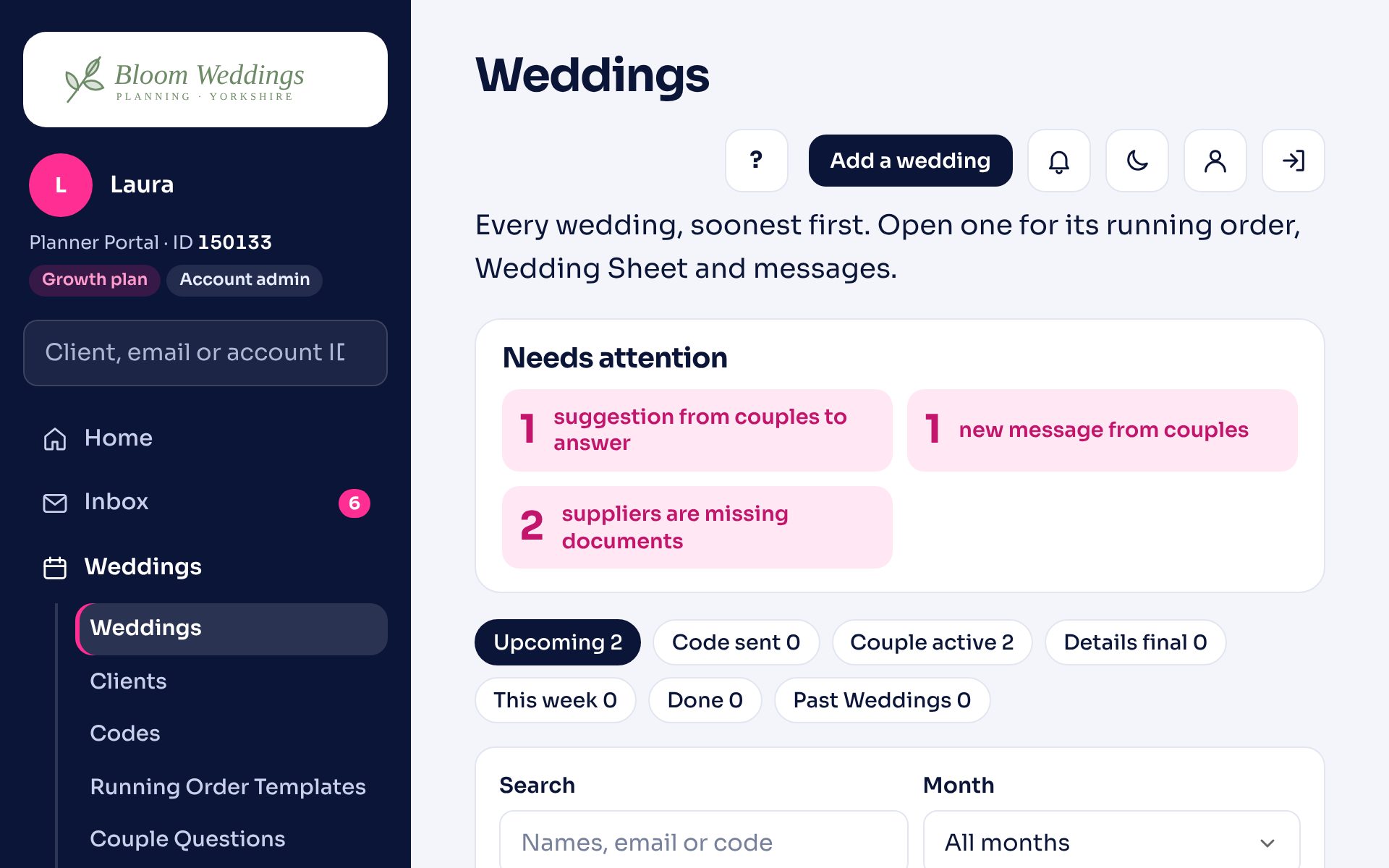
What You Get
A Running Order That’s Always Current
A private draft, published versions, and a record of every change. Couples see the latest version and what changed.
Numbers Without Chasing
Guest numbers, meals, dietary needs and the table plan, straight from the couple’s guest list.
Any Venue
Choose the venue on Google Maps. Venues on EveryExtra work with you on one plan; any other venue gets a private link.
Suppliers Confirm
Each supplier gets a page with their times and part of the day, confirms, and uploads the insurance and certificates you ask for.
Your Venue Library
Each venue you work at, saved once with its coordinators: rooms, rules, parking, power and their usual day.
A Gift For Every Couple
A guest gallery, wedding website and planning tools for every couple, in your branding, with nothing for them to pay.
How It Works
Choose A Plan
Your plan includes a number of couple codes each month, or a year’s worth up front.
Give Each Couple A Code
They set up their event with it, and their wedding appears in your portal, ready to plan.
Plan It Together
Build the running order, invite the venue and suppliers, and publish when it’s ready.
Run The Day
Everyone has the same version. On the day, your team sees what’s on now and next.
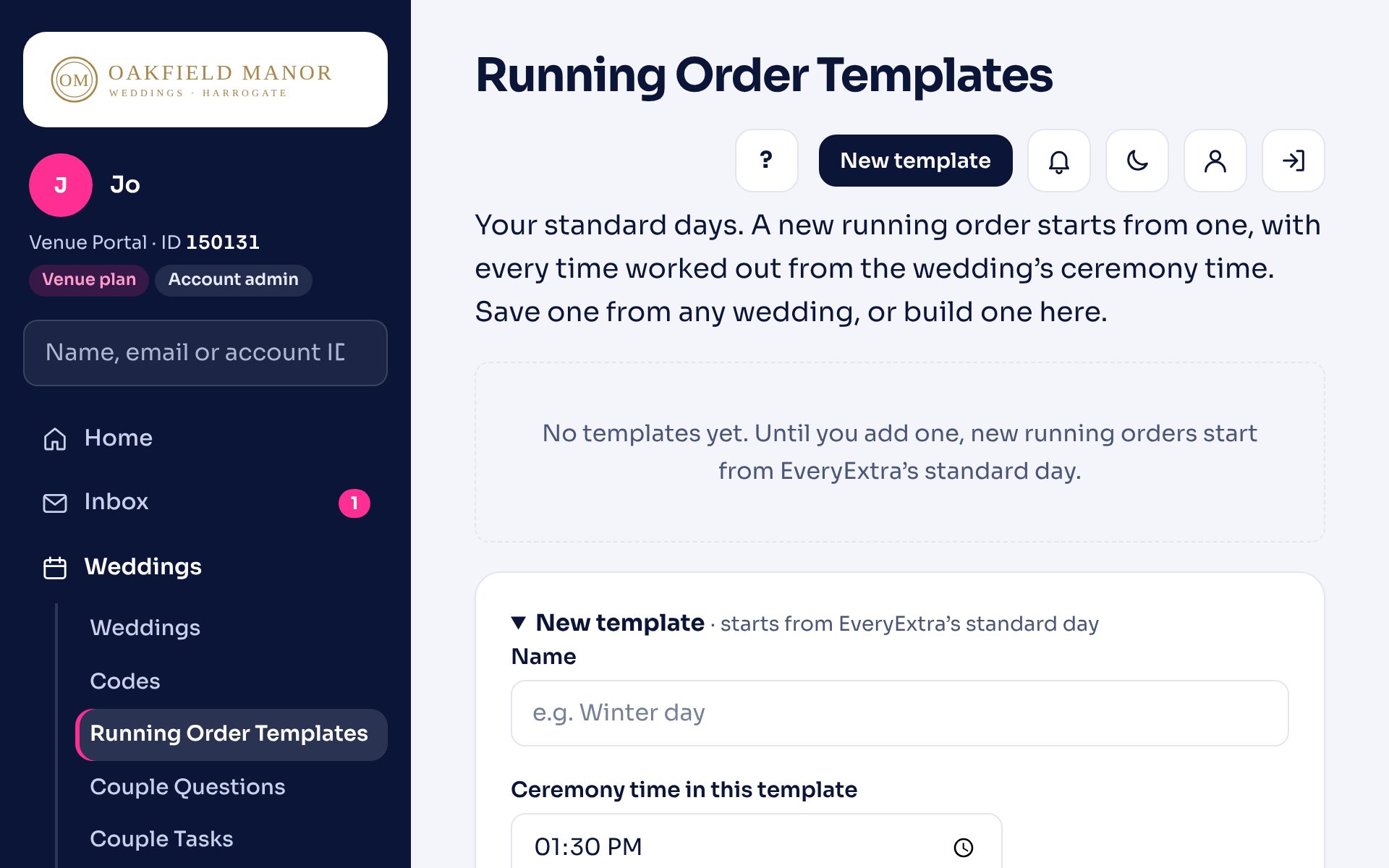
One Running Order, Never Out Of Date
Start every wedding from your own standard day, worked out from the ceremony time. Work on it in a private draft, then publish when it’s ready. The couple sees the latest version and exactly what changed, and nobody works from an old copy again.
A Private Draft
Change anything as often as you like. Nothing reaches the couple until you press Publish.
Who Sees What
Mark each item for your team, the couple, suppliers or guests. Kitchen timings and internal notes are never published.
Drag And Drop
Move anything with a drag, or the arrow keys. If it no longer fits the times around it, its time changes to fit.
What Changed
Each new version tells the couple what moved, so they never have to spot the difference.
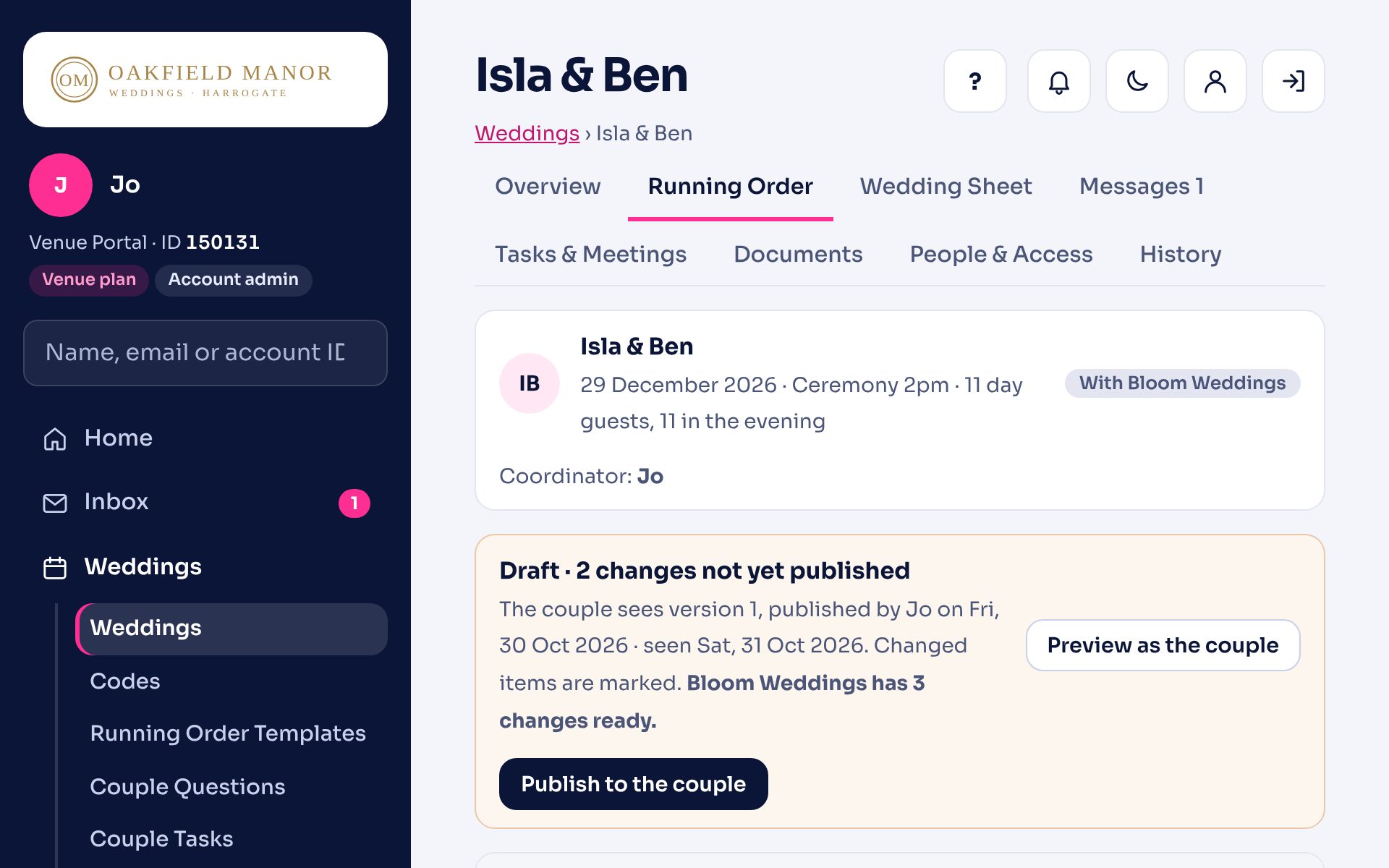
Your Standard Days, Ready To Go
Build each of your standard days once, row by row, just like a running order: the time, what’s happening, where, who and who can see it. Drag to reorder. Every new wedding starts from one, with each time worked out from that wedding’s ceremony.
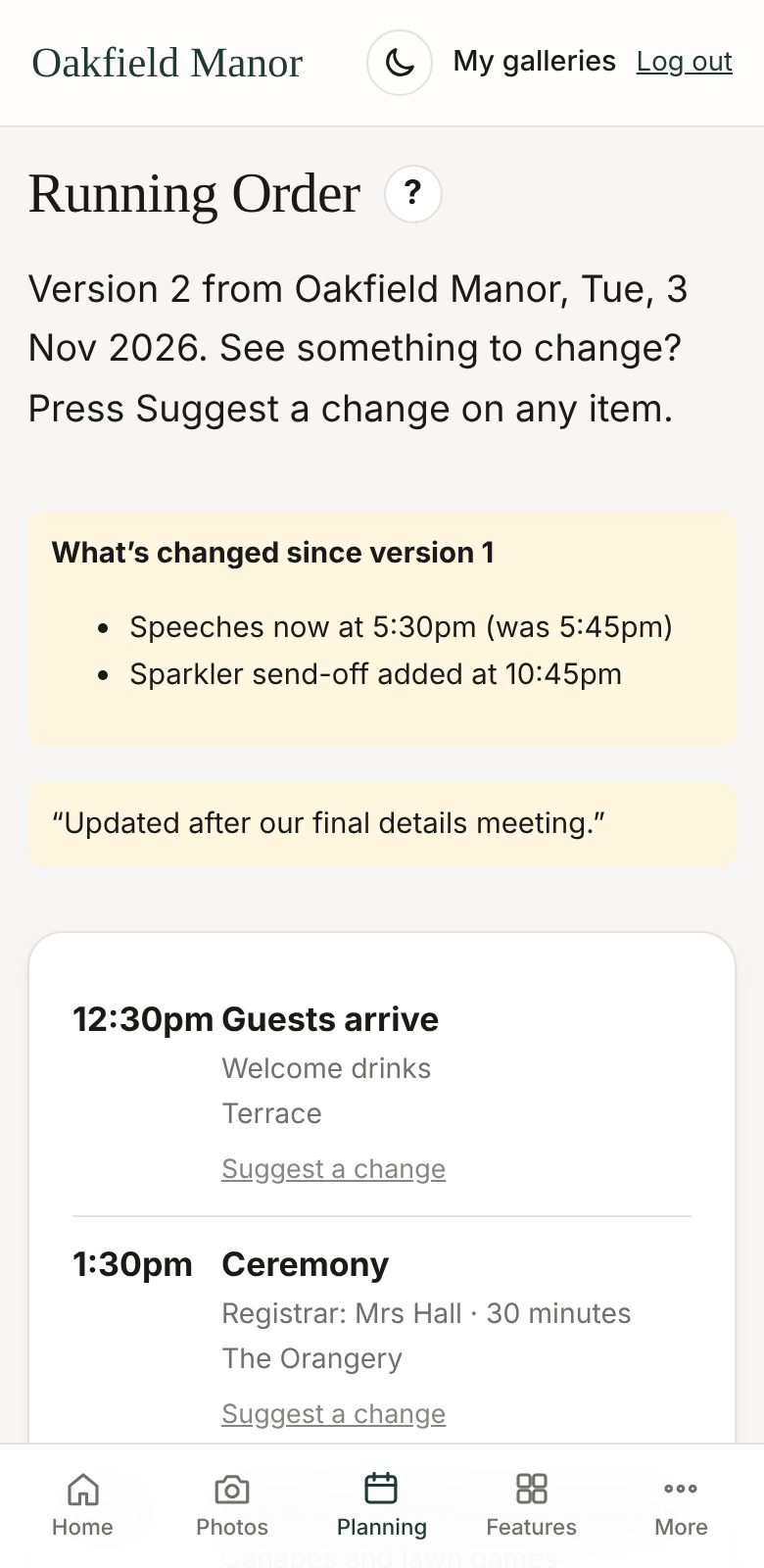
Couples Suggest, You Decide
Couples can’t change the running order, but they can suggest a change on any item, and fill in the details you ask for, like who’s giving speeches or their first dance song. You accept or decline, with a reason, and lock the wedding when it’s final.
Final Numbers Without Chasing
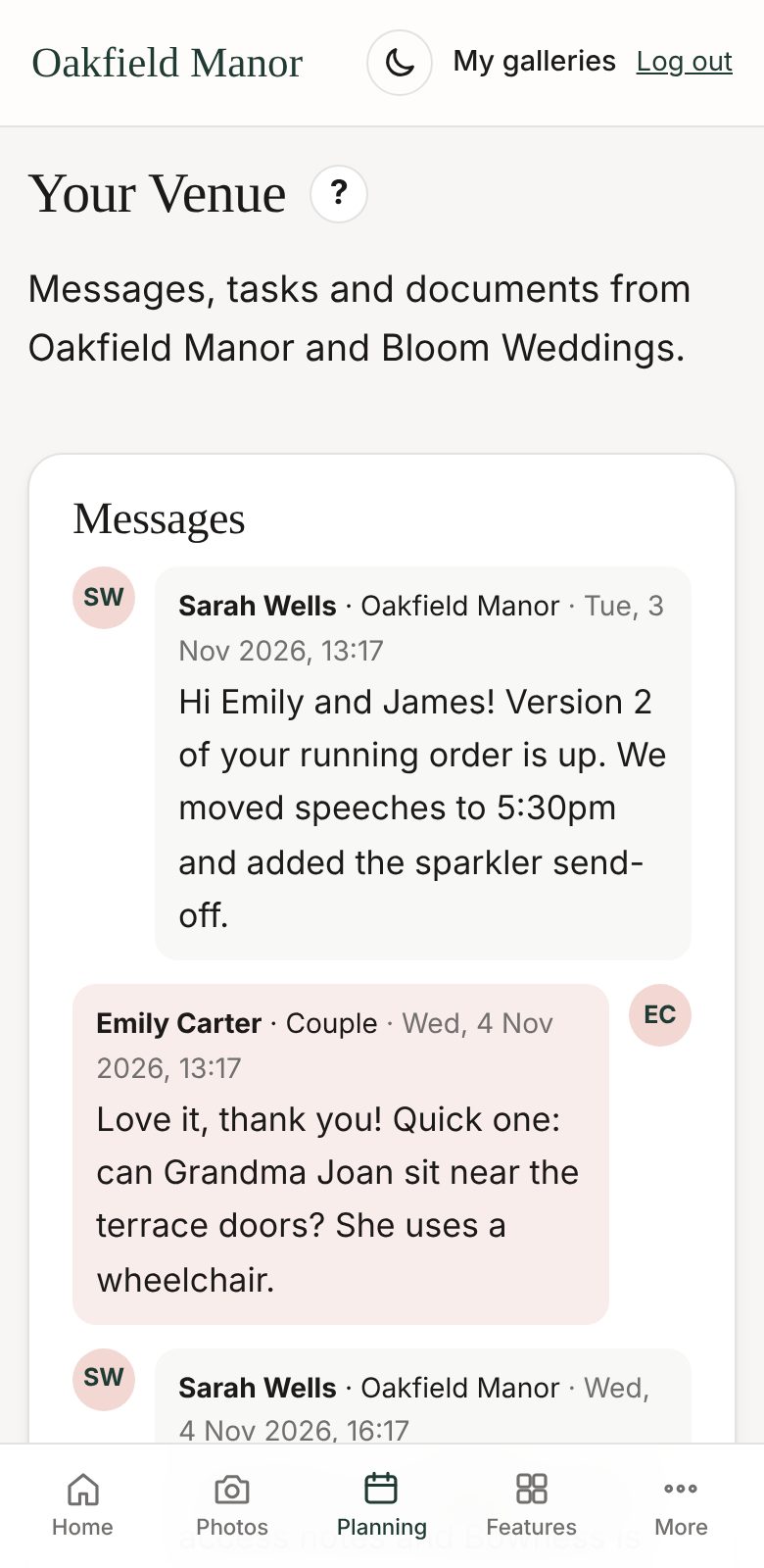
Guest numbers, meal choices, dietary needs and the table plan come straight from the couple’s own guest list, and update as guests reply. Print it for the kitchen, download it, or check it on your phone.
Day And Evening Numbers
Counted separately, with children and anyone who hasn’t replied yet.
Dietary Needs And Allergies
Every one, with the guest’s name, their table and their meal. Severe allergies stand out.
The Table Plan
Every table with its guests, ready to print for the room team.
The Day’s Details
Access needs, ceremony details, drinks and bar tab, key moments, rooms, items brought in, wet-weather plan and travel, all in one place.
Every Change On Record
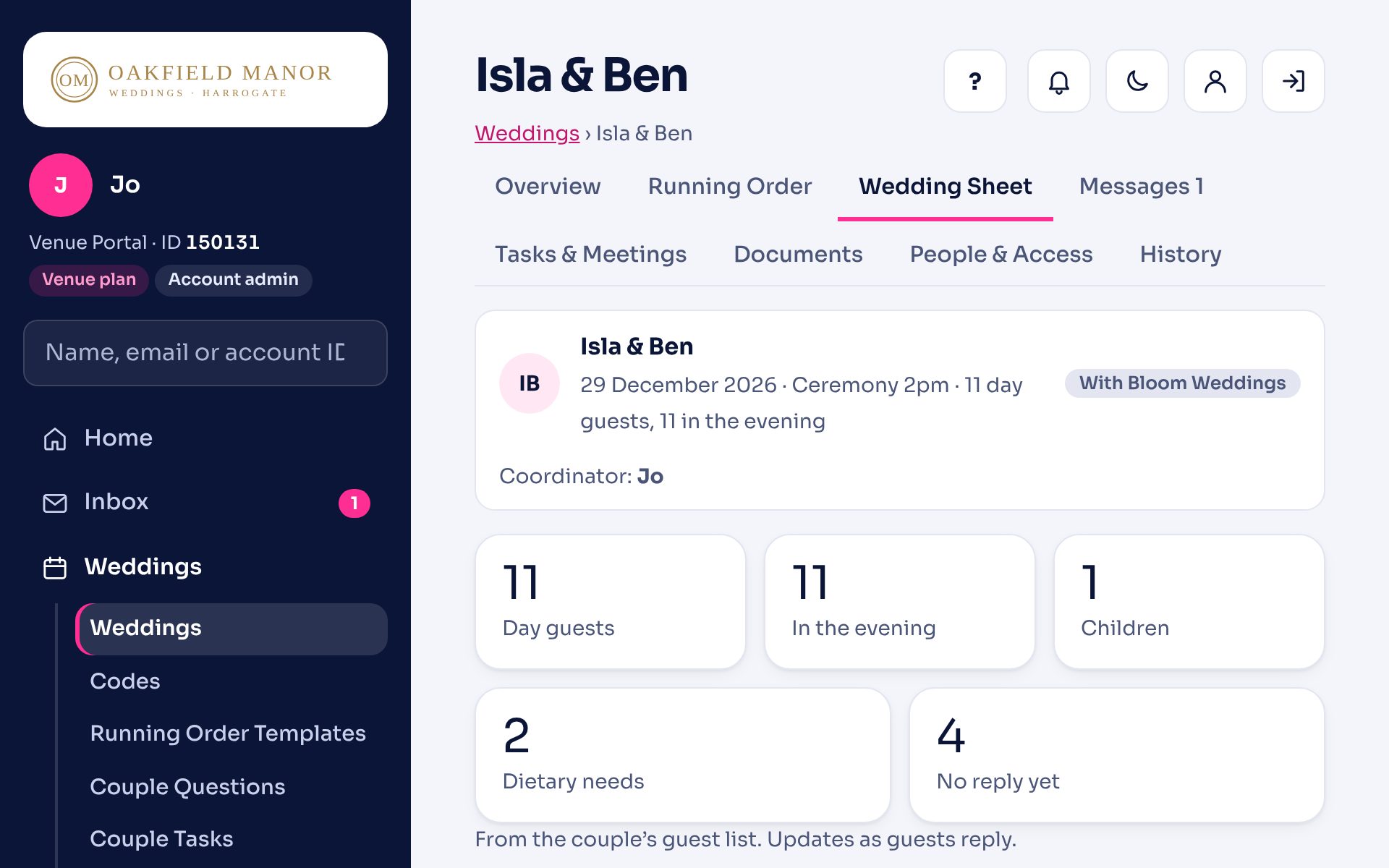
See every version you’ve published and every change in between: who made it, when, and what it was before. See when the couple first opened each version. Compare any two, or restore an old one.
Planner And Venue, One Plan
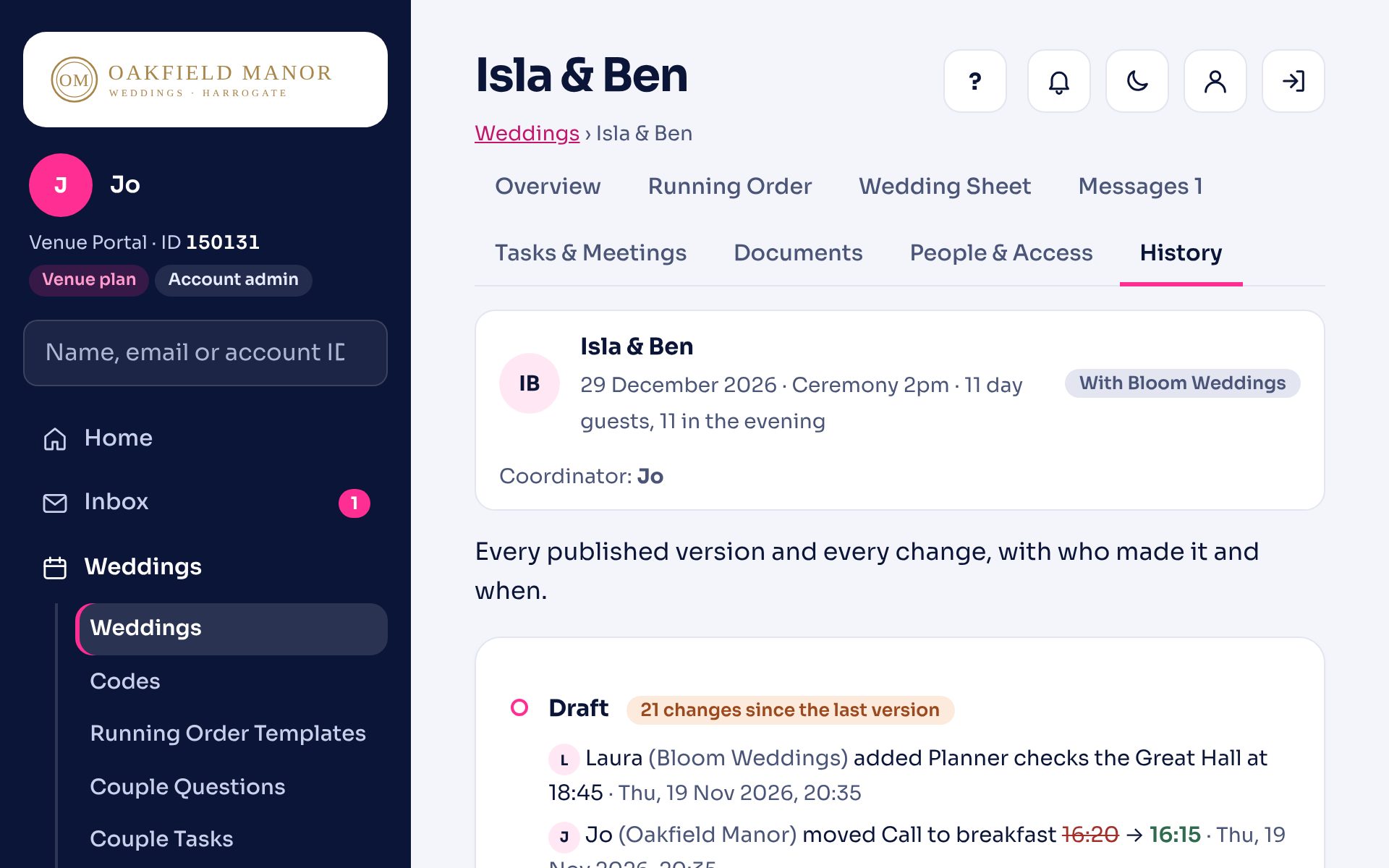
Invite the couple’s planner, or the venue, into the wedding. Whoever gave the couple their code leads; the other works on the draft with you, or just views and suggests, as you choose. You choose what they can do: edit, publish, see your team-only items, or message the couple. Your two teams get a private thread the couple never sees.
Suppliers Confirm Their Part
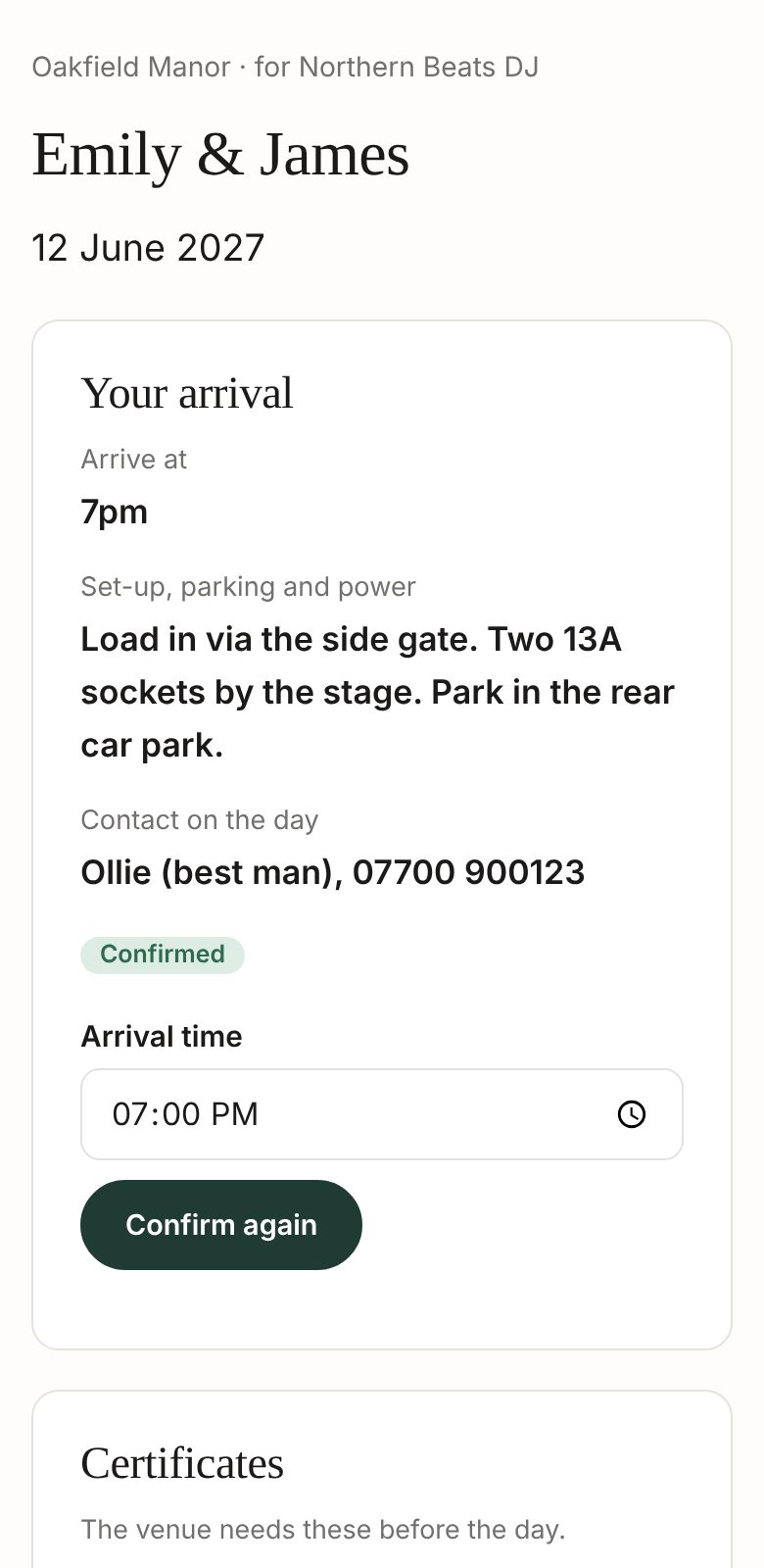
Every supplier gets their own page: their arrival time, where to set up, power and parking, their part of the running order and who to call on the day. They confirm, upload the documents you ask for (insurance, PAT, risk assessments, food hygiene and your own), and are asked to confirm again if anything involving them changes. You’re told when anything is missing or runs out before the wedding. No account, no app.
Insurance And Certificates, Collected For You
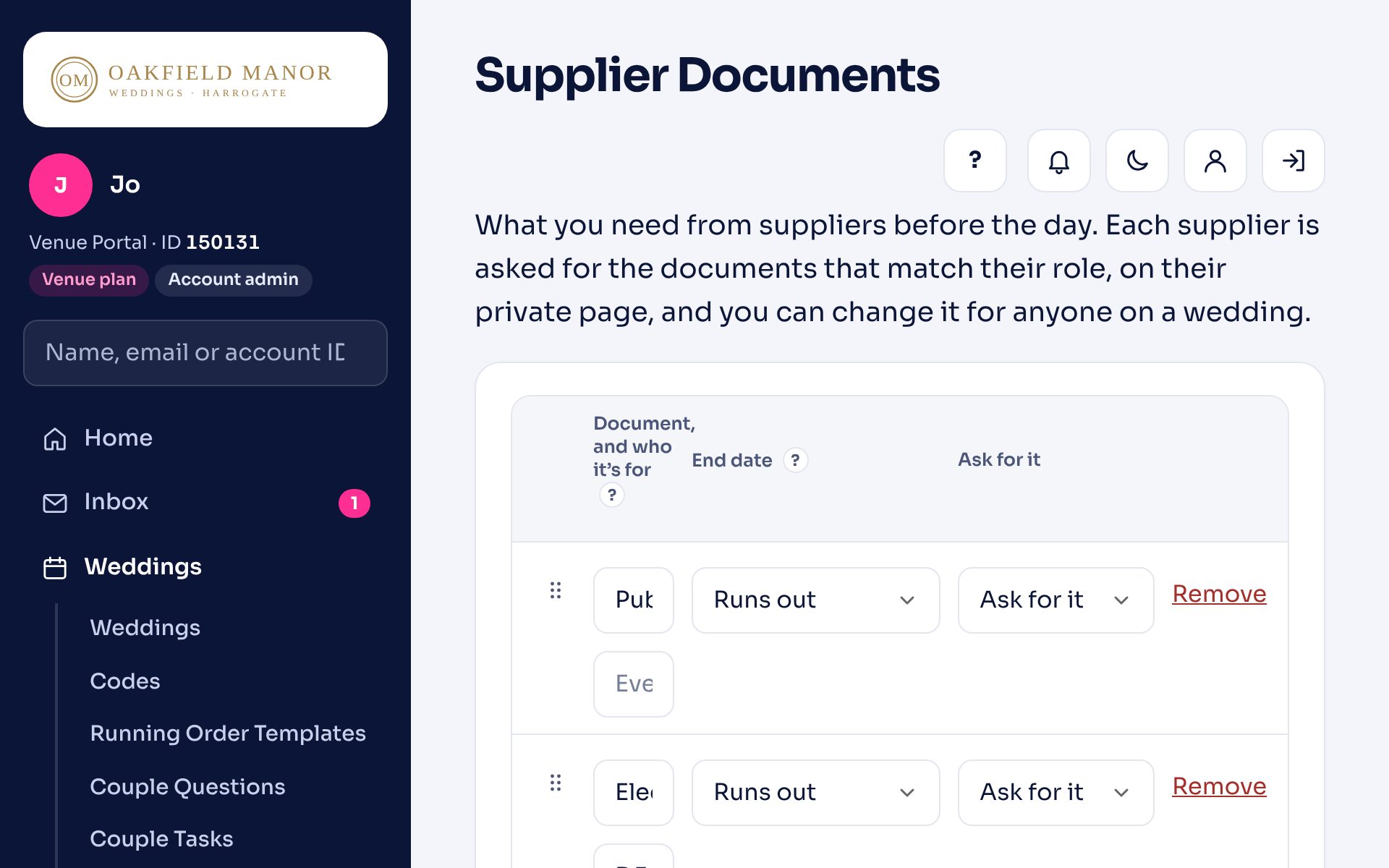
Choose what you need from each kind of supplier: public liability insurance, PAT, risk assessments, food hygiene or your own. Each supplier is asked on their private page and reminded two weeks before, and you see who’s done at a glance. You’re told if anything runs out before the wedding. Suppliers on EveryExtra upload theirs once, and it’s used on every wedding while it’s in date.
Every Conversation In One Inbox
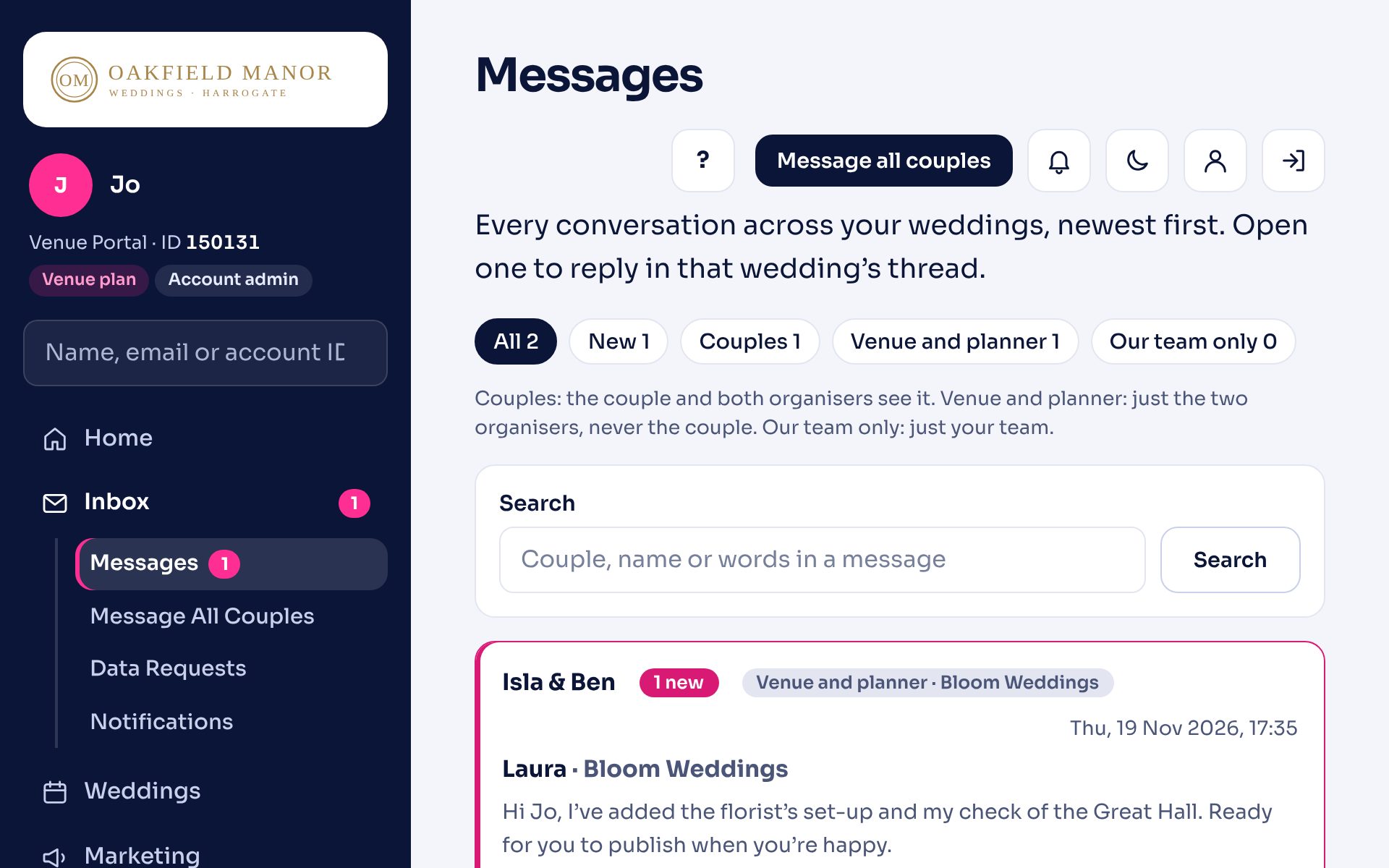
Messages from every wedding in one place, newest first, with the number waiting next to Inbox and on your phone. Filter by couples, your co-organiser or team notes. When a couple presses Contact us, it comes to you in that wedding’s messages, not to a help desk.
Every Venue, Found On The Map
Choose each wedding’s venue from Google Maps, so a venue is only ever in the system once. If it’s on EveryExtra, the wedding goes straight to the venue and its coordinators. If it isn’t, the coordinator gets a private link. Your own notes on each venue (rooms, rules, parking, power) stay in your Venue Library.
Messages, Tasks And Meetings In One Place
Everything about a wedding stays with the wedding, so anyone on your team can pick it up.
Messages
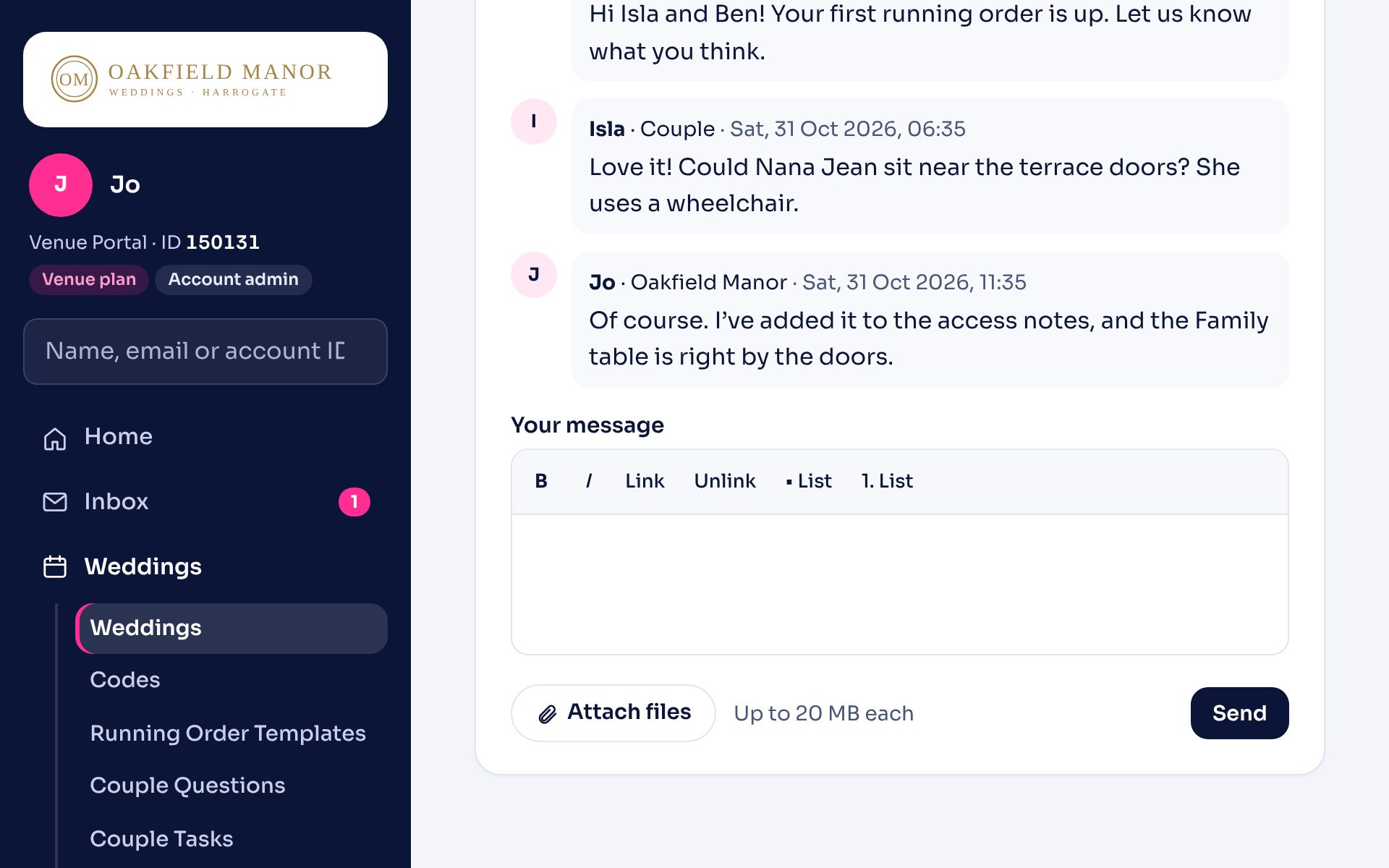
One thread with the couple, a private one with your co-organiser, and notes only your team sees. Format your message and attach files, like an email.
Tasks
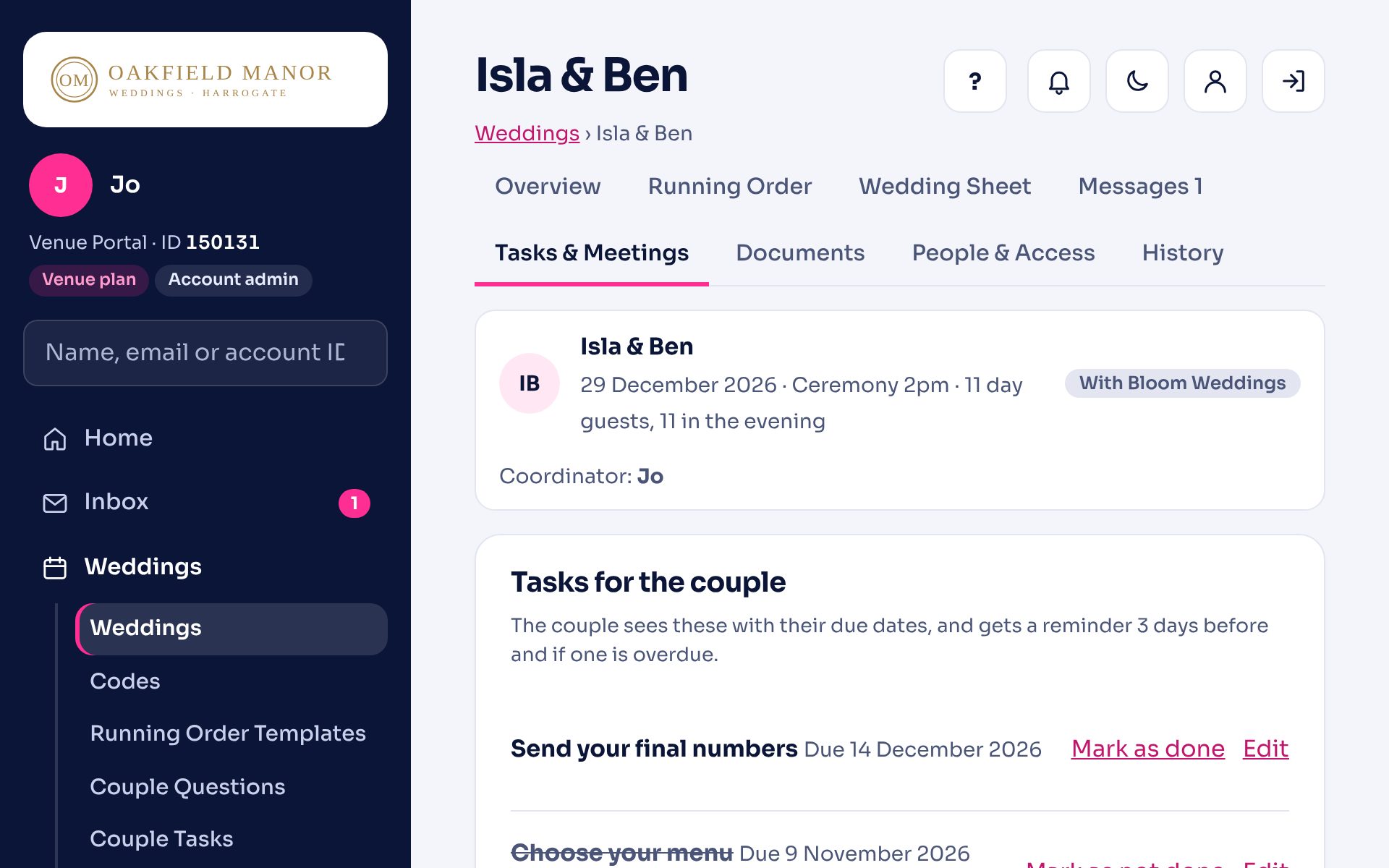
“Send final numbers by 1 June.” Couples get reminders before the deadline; you see anything overdue.
Meetings
Book the final details meeting with an agenda built from everything still open, then share your notes.
Documents
Menus, floor plans and terms, shared both ways.
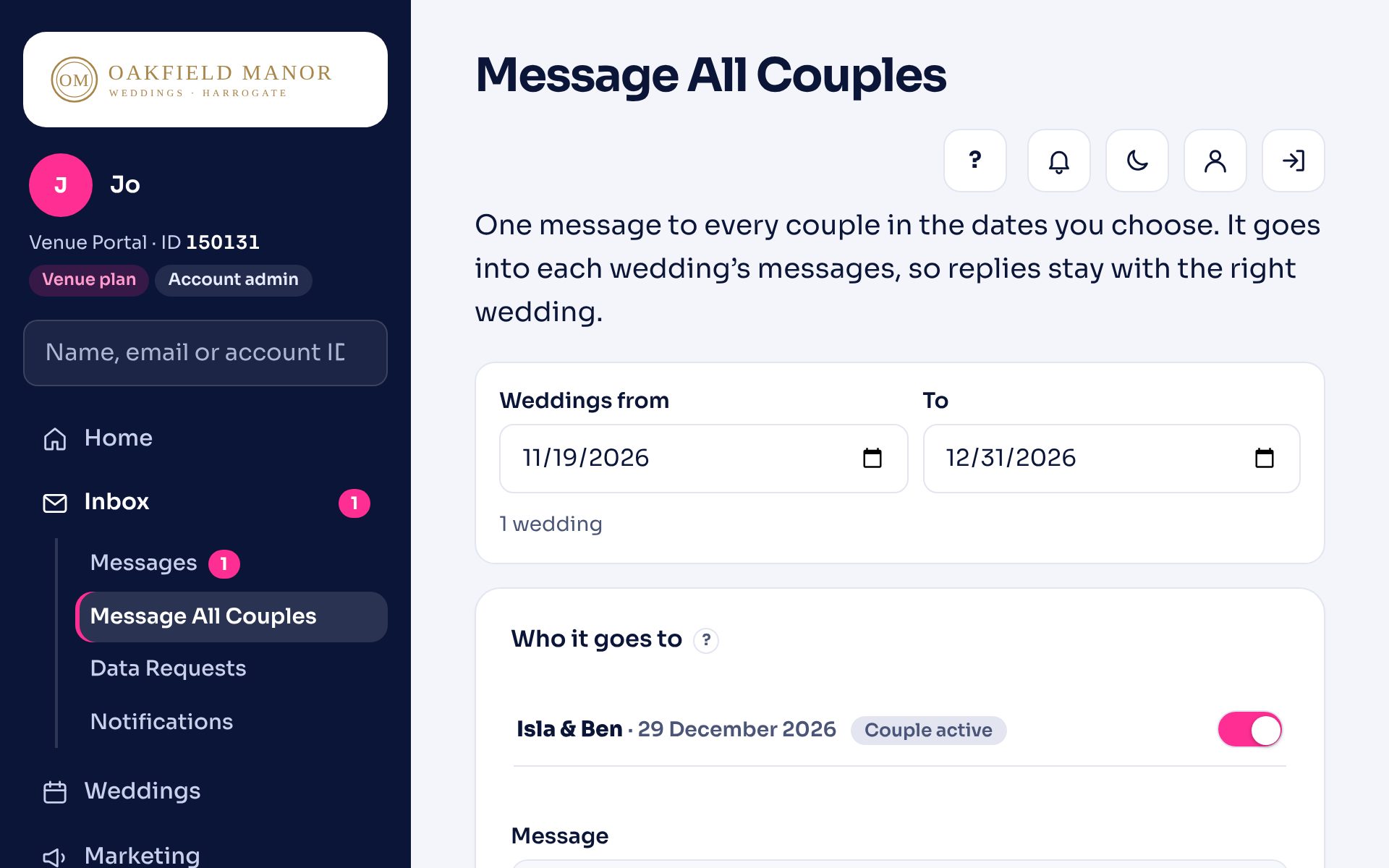
One Message To A Whole Season
Car park moving? New bar menu? Choose the dates, untick anyone it doesn’t apply to, attach the new menu, and send. It lands in each wedding’s own messages, so replies stay with the right couple.
Know What’s Happening
Choose your email alerts: a couple starts, final numbers are confirmed, something changes after the lock, a code hasn’t been used, a supplier confirms, a round-up the day after, and a Monday summary of the week ahead.
Every Wedding, Kept
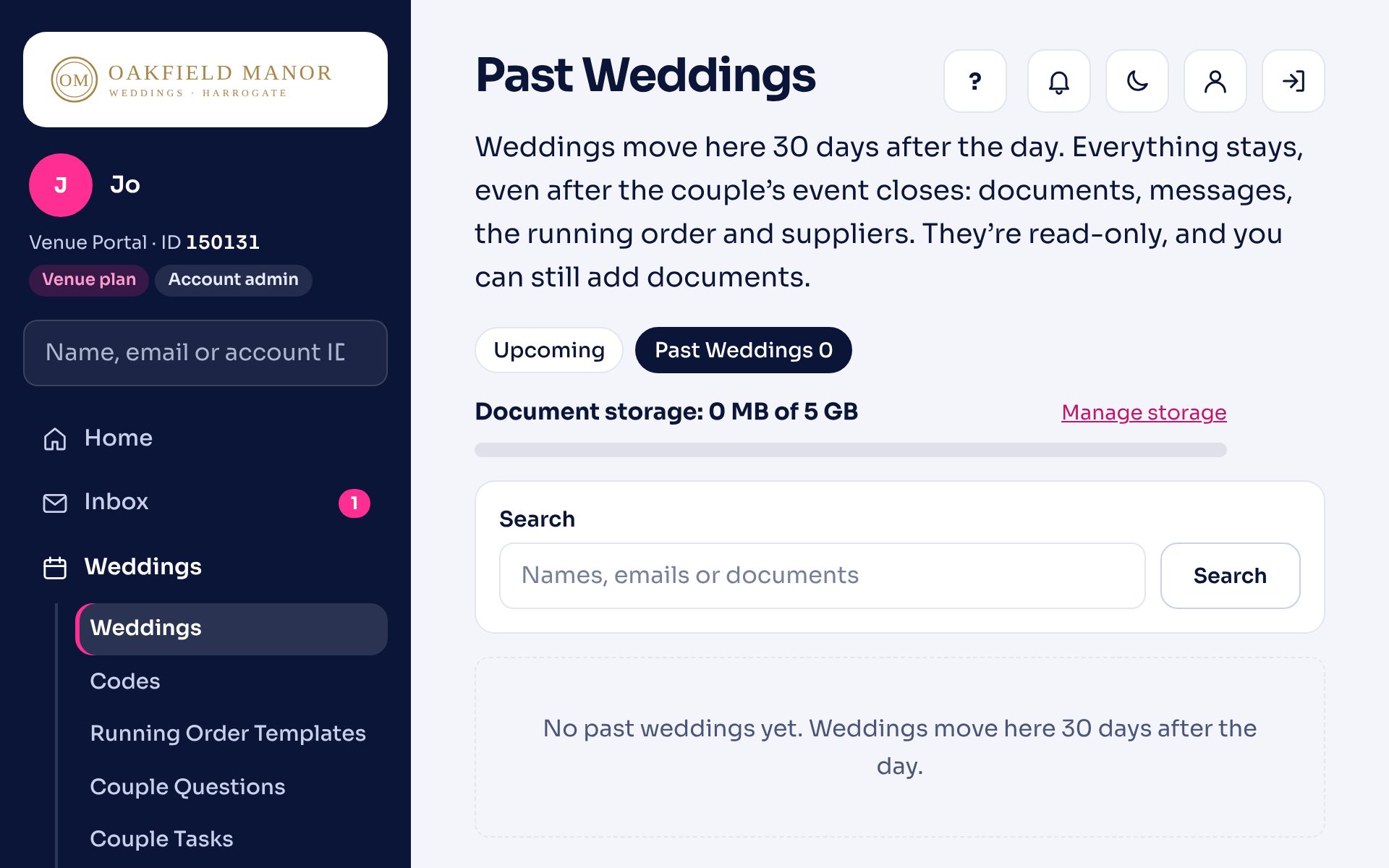
Nothing on your weddings is deleted while you’re with us. Thirty days after the day, each wedding moves to Past Weddings, so you can look back when a question comes up months later, and spot a couple or client who comes back to you.
Past Weddings
Every wedding stays in its own read-only record: the running order and every version, messages, tasks, meetings, suppliers and their paperwork. It stays even after the couple’s gallery has closed. Search by names, email or a document’s name.
Our Team Only, Or Shared
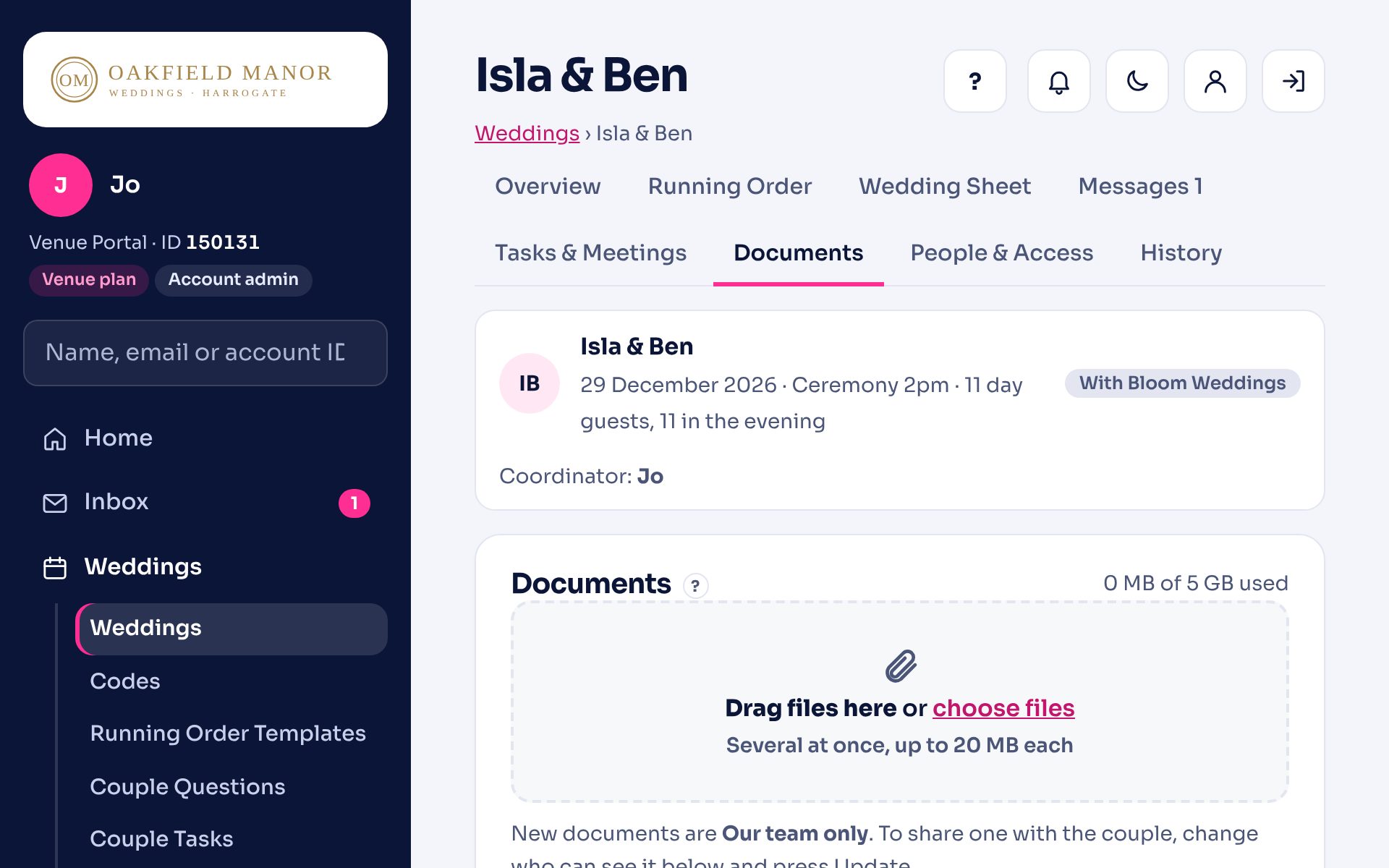
Mark each document Our team only (your contract, invoices, damage reports and notes) or Shared with the couple. Team-only documents are never shown to the couple and never in their download.
Returning Clients
When someone who’s had a wedding with you books again, they’re marked Returning client on their enquiry, their code and their wedding, with a link to the first one. Only your own weddings are checked.
Download Any Time
Download one wedding, or every document from every wedding, as a folder per wedding. Big downloads come in parts.
Room For Every Document
Every plan includes 5 GB for documents, including what suppliers upload; guests’ photos don’t count. Add 10, 25, 50 or 100 GB to your plan whenever you need it.
A Year To Take It With You
If you ever leave, everything is kept for a year from the day your plan ends, with a private download page and reminders before anything is deleted.
Your Own Profile Page
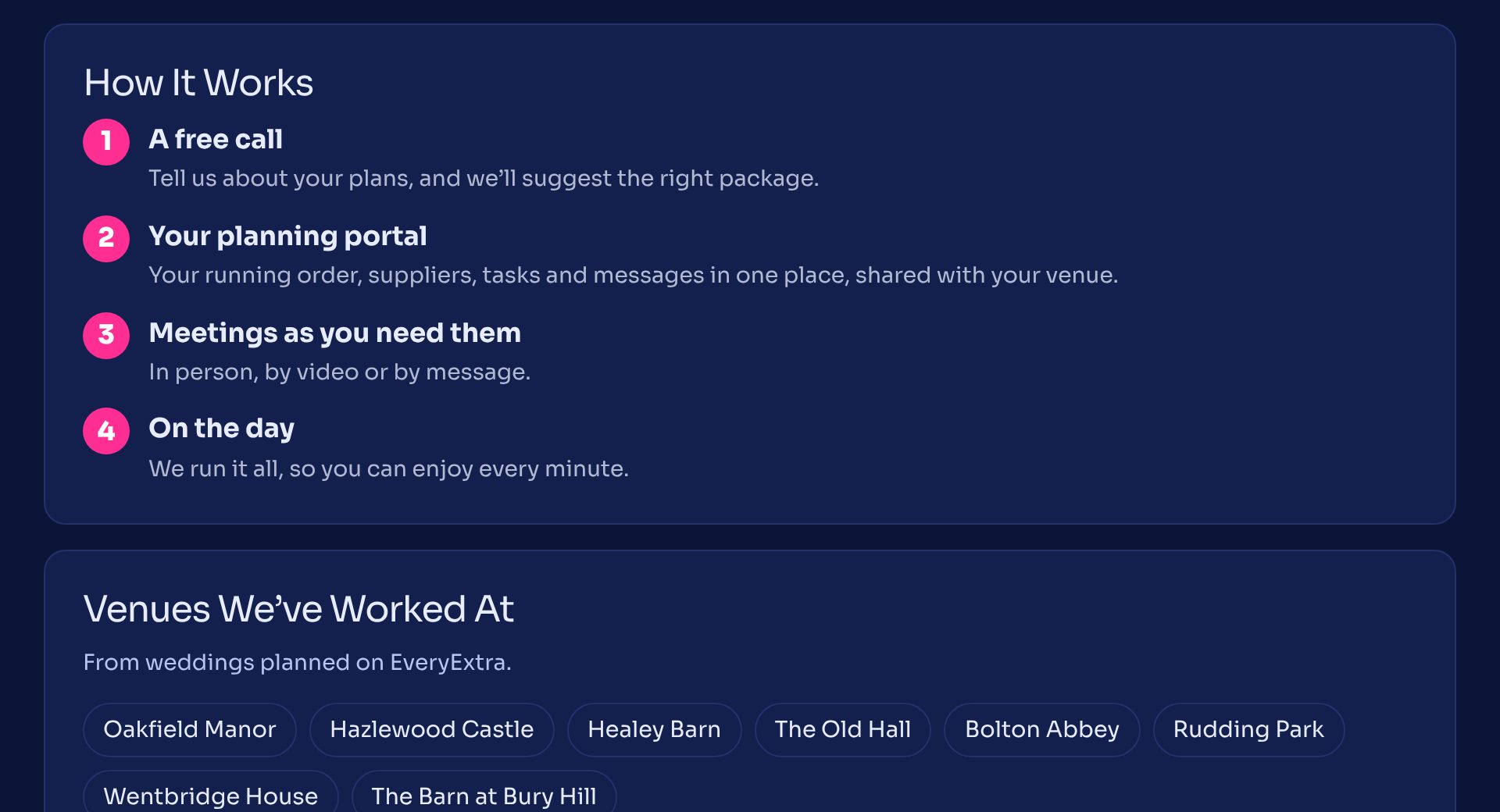
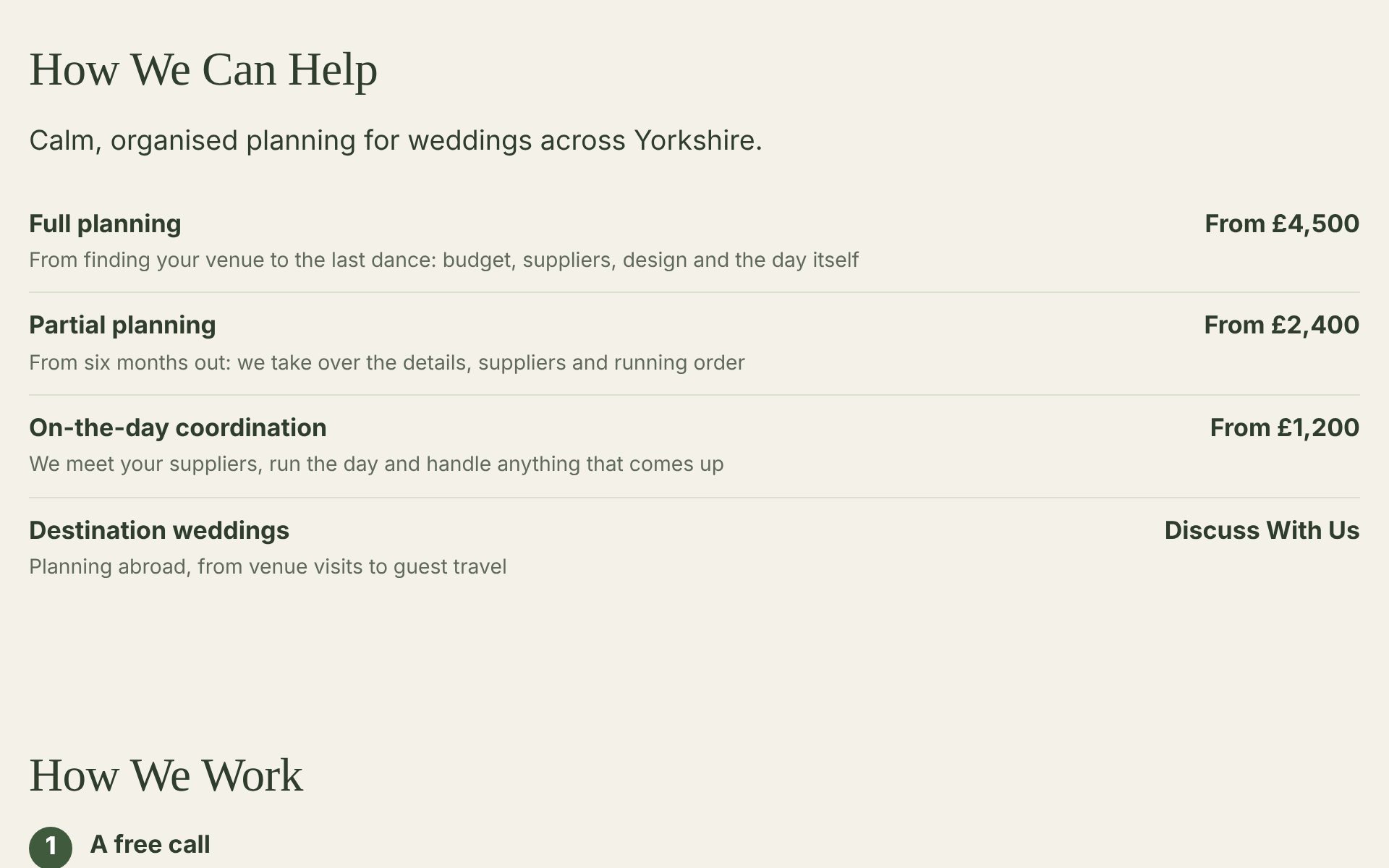
Your listing in the wedding directory is a full profile: your services and prices, how you work from the first call to the day, the venues you’ve worked at, the suppliers you work with, real weddings you’ve planned, reviews from your couples and a Get a quote button.
Your Own Page, In Your Brand
Your clients’ page shows your planning services, how you work, the venues you know, kind words from your couples and your showreel, with a Book a free call form that lands in your Enquiries.
Suppliers For Your Couples
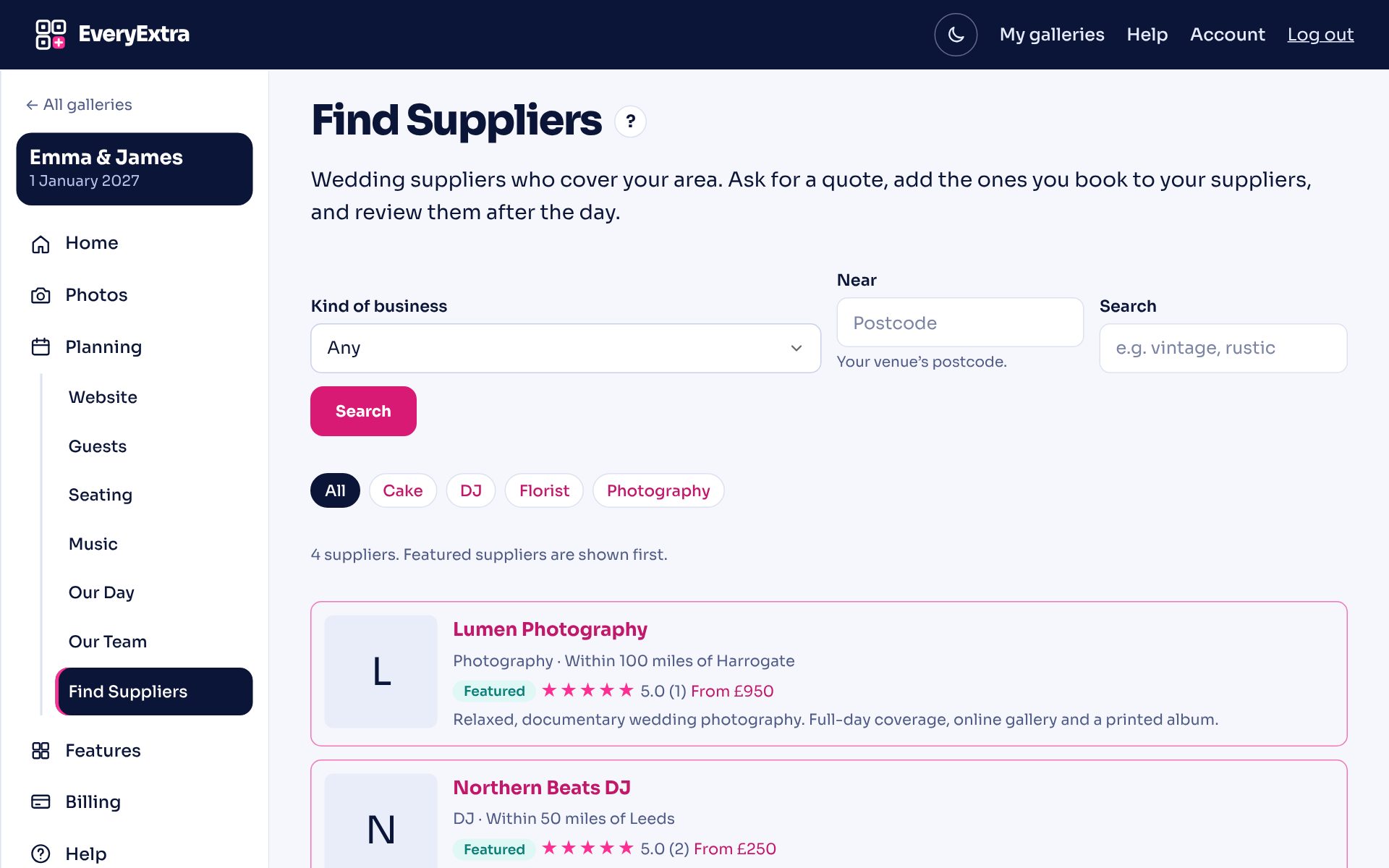
Your recommended suppliers are always on your couples’ wedding page. Switch on the supplier directory too, and couples can search suppliers who cover their venue, ask for quotes and review them after the day.
Plans
Most popular
Planner Pro
£69.00/month
or £690.00 a year — save £138.00
For independent wedding planners starting out or planning a few weddings a year. Run every wedding in your branding: running orders, Wedding Sheets, couple questions, tasks and messages. Includes weddings at any venue, a page for each supplier with their times, your own packages and payments and your own web address.
- 5 couple codes a month, each with a guest gallery and planning tools in your branding
- Up to 3 team logins
- 20 branding themes
- Wedding planning: running orders, Wedding Sheets, messages, suppliers and documents
- Own web address
- Own terms & privacy policy
- Extra brands
- Remove “Powered by EveryExtra”
- Priority support
- Custom colours
- Premium themes
- Website look
- Emails from your own domain
- Directory photos
- Products and services
- Website and social links
- Reviews from couples
- Get a quote
- In couples’ planning portal
- Featured in search
- First 7 days free
Planner Max
£99.00/month
or £990.00 a year — save £198.00
For established planning companies with a team and weddings every week. Run every wedding in your branding: running orders, Wedding Sheets, couple questions, tasks and messages. Includes weddings at any venue, a page for each supplier with their times, your own packages and payments and your own web address.
- 10 couple codes a month, each with a guest gallery and planning tools in your branding
- Up to 5 team logins
- 20 branding themes
- Wedding planning: running orders, Wedding Sheets, messages, suppliers and documents
- Own web address
- Own terms & privacy policy
- Remove “Powered by EveryExtra”
- Priority support
- Custom colours
- Premium themes
- Website look
- Emails from your own domain
- Directory photos
- Products and services
- Website and social links
- Reviews from couples
- Get a quote
- In couples’ planning portal
- Featured in search
- First 7 days free
Already A DJ, Photographer Or Photo Booth Partner?
If you plan weddings as well, you don’t need a second account. Add Planning Tools to your partner plan for £25 a month, and you’re listed as a planner too.
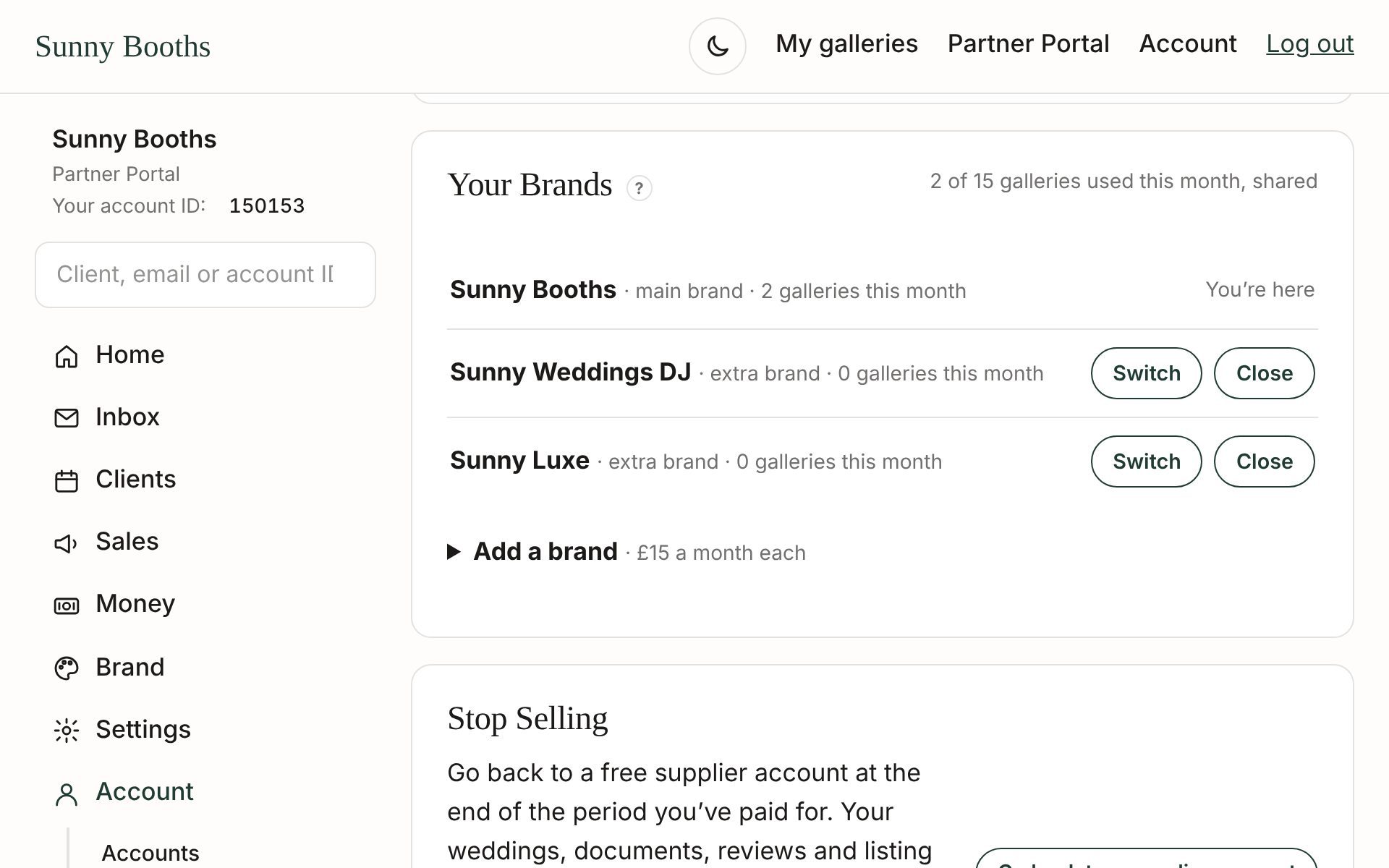
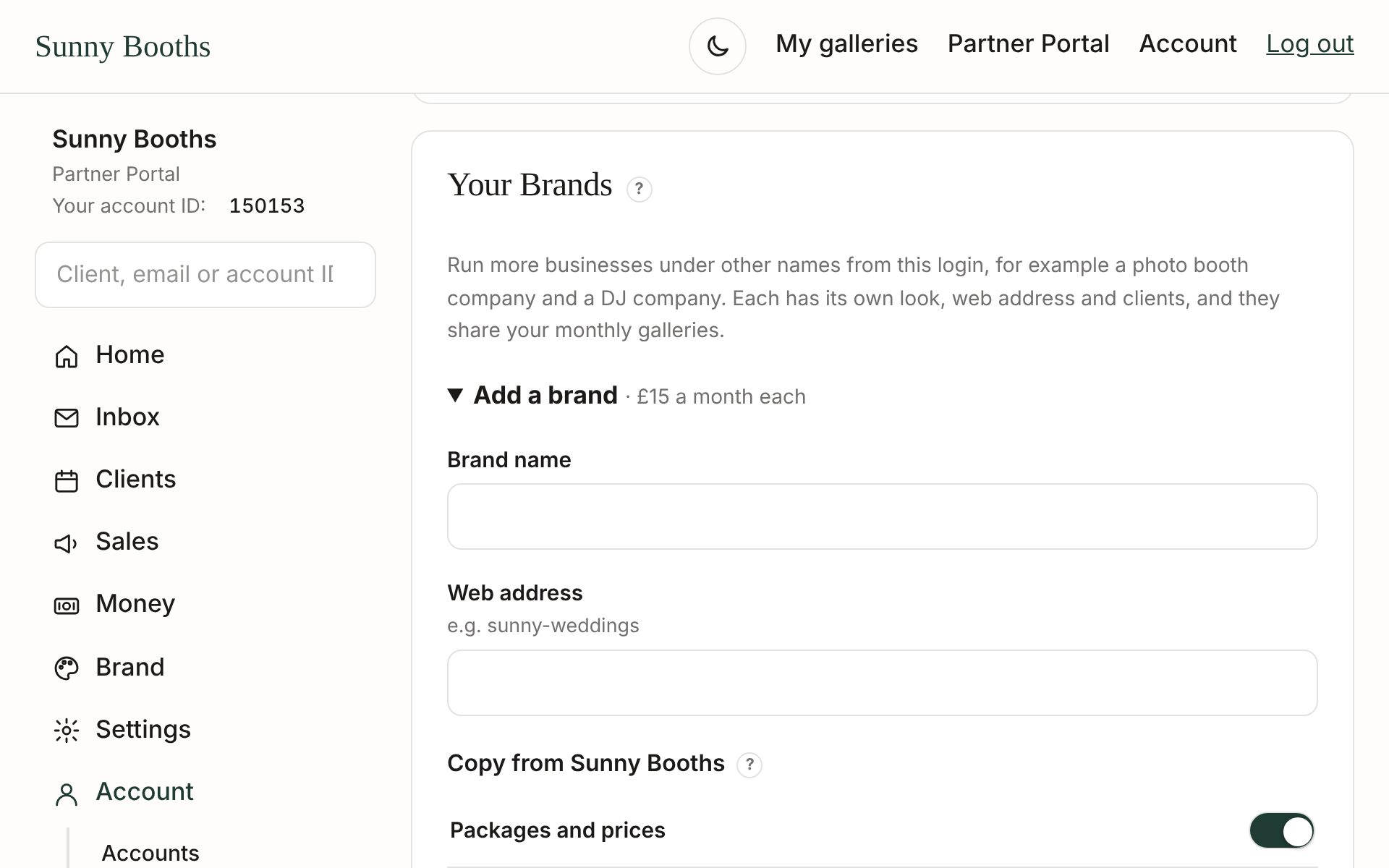
More Than One Brand? One Login.
Run every business you own from the same account. Each brand looks like itself to its clients, and you manage them all in one place.
Each Brand Looks Like Itself
Its own name, logo, colours, theme and web address, so a photo booth company and a DJ company never look like the same business. Clients of one brand never see the other.
Nothing To Set Up Twice
When you add a brand, copy your questions, running order templates, venues, recommended suppliers, payment options, invoice details and page wording straight across. Then just give it its look.
One Shared Allowance
All your brands share your plan’s monthly galleries and any gallery packs, and your plan page shows how many each brand used this month. Busy on one brand, quiet on another? It evens out.
Switch In One Tap
Your other brands are at the bottom of your menu. Switch and you’re straight into that brand’s clients, packages and look, with no signing out.
Pay For Each Brand You Add
£7 a month for each extra brand, on the same bill as your plan. Add as many as you like.
Close Any One, Keep The Rest
Stop a brand at any time. It closes at the end of your billing period, stops being charged, and your other brands carry on. Its clients’ galleries stay online until their own end dates.
Questions
Do my couples pay anything?
No. You give each couple a code from your allowance and everything switches on, in your branding.
What if the venue is on EveryExtra too?
You work on one running order together. Whoever gave the couple their code leads; the other works on the draft with you, or just views and suggests, as you choose. You can transfer the lead role between you if you both agree.
What if the venue isn’t on EveryExtra?
You lead. The venue gets a private link to the published running order, numbers and table plan, and can reply to you from it.
Can couples change the running order?
No. They see the latest version you publish and can suggest changes until you lock the wedding. You decide.
Who can see the couple’s guest details?
Couples agree to share their planning details with you and the organisers and suppliers you add when they use your code. They can see who has access, and switch it off at any time.
I’m a DJ or photographer who also plans. Do I need two accounts?
No. Add Planning Tools to your partner plan and you’re listed as a planner too.
What happens to planning data after the wedding?
Nothing is deleted while you’re with us. Thirty days after the day, a wedding moves to Past Weddings: read-only, with every document, message and running order kept, so you can look back if a question comes up, and spot a returning client when they enquire again. If you ever leave, you have a year to download everything before it’s deleted.
Can we keep some documents from the couple?
Yes. Mark each document Our team only (contracts, invoices, notes) or Shared with the couple. Team-only documents are never shown to the couple or included in their download.
Know Your Emails Arrived
Every email sent in your name is in your Email Log, with the date and the time to the second: welcomes, event codes, running orders, messages and reminders. Open any one to see it exactly as it went out, so when a couple says “I never got it”, you can see what was sent, when, and whether their email provider accepted it.
- Sent, Delivered or Bounced, with the reason if it didn’t arrive
- The email itself, as it looked, kept for 90 days
- Search by address or subject
- Only your own account’s emails, never anyone else’s
You’re also emailed a confirmation whenever your own plan changes: moving up or down, switching between monthly and yearly, or adding extras. Nothing about your account changes without a record of it.
Every Wedding, One Plan.
Your couples, venues and suppliers working from the same running order, in your branding.
Rather be shown round? Book a 30-minute demo with Wayne, the founder.