Running the day · EveryExtra HQ
Wedding Day Management, With The Kitchen And Bar In Step
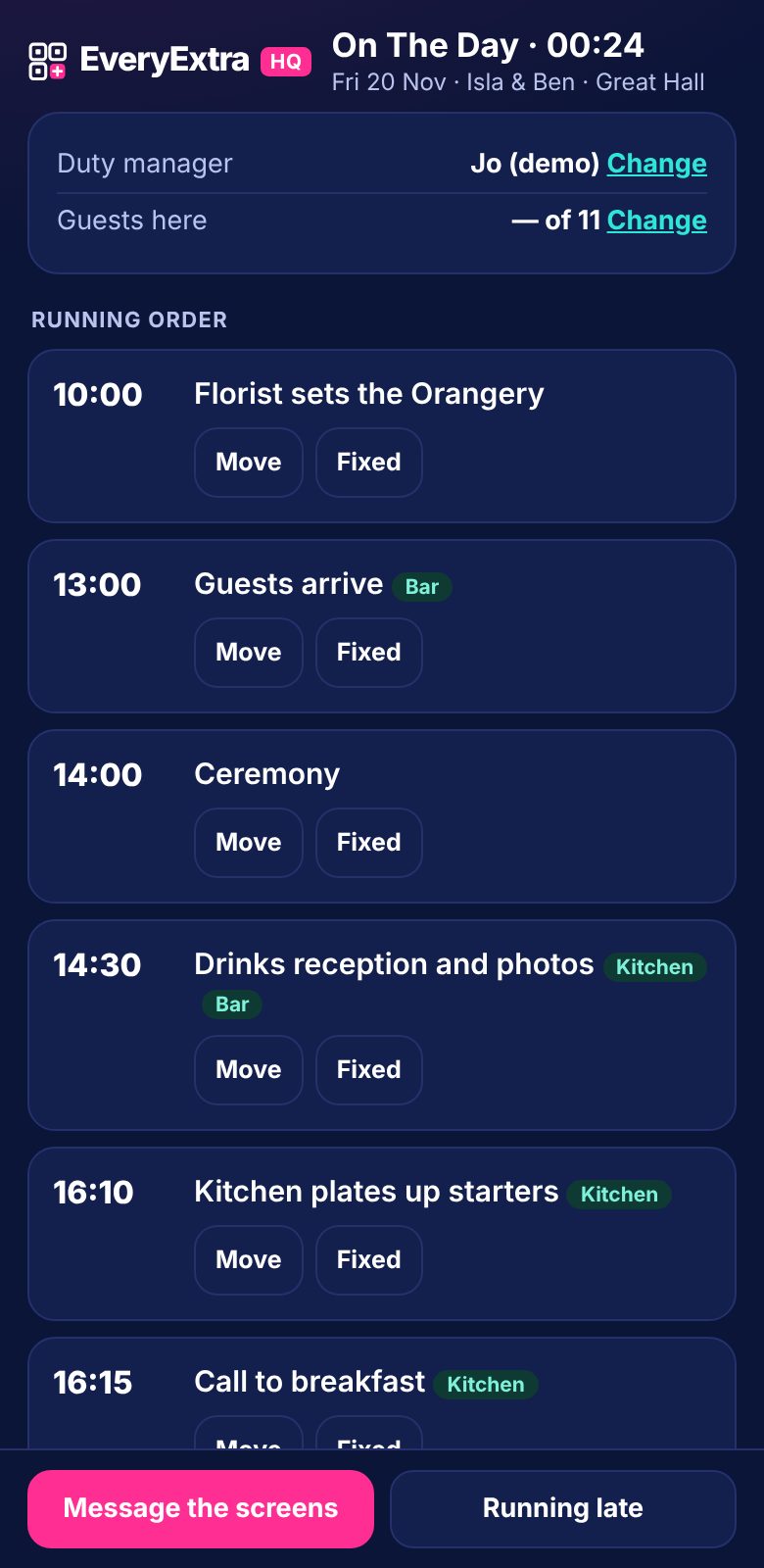
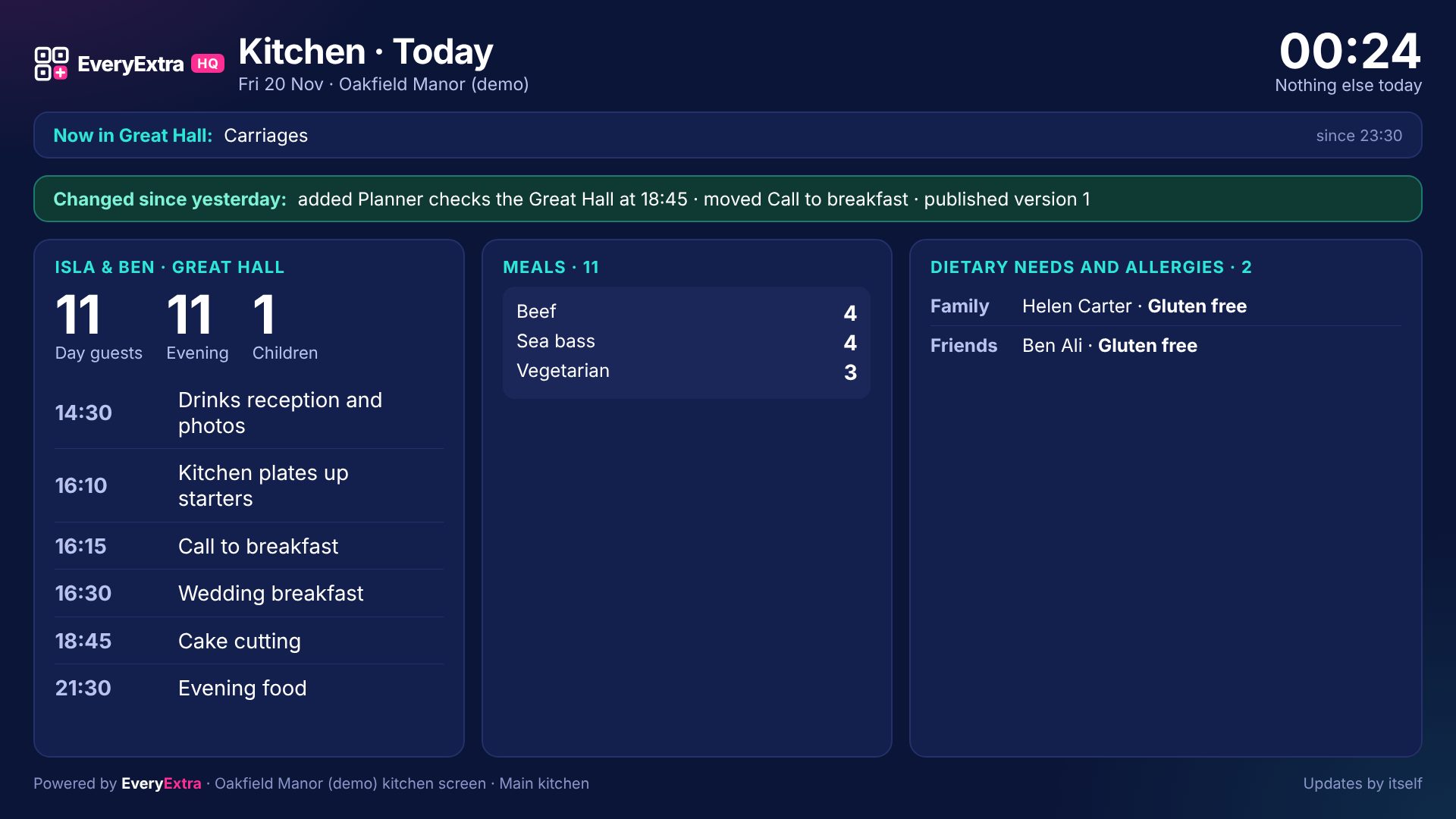
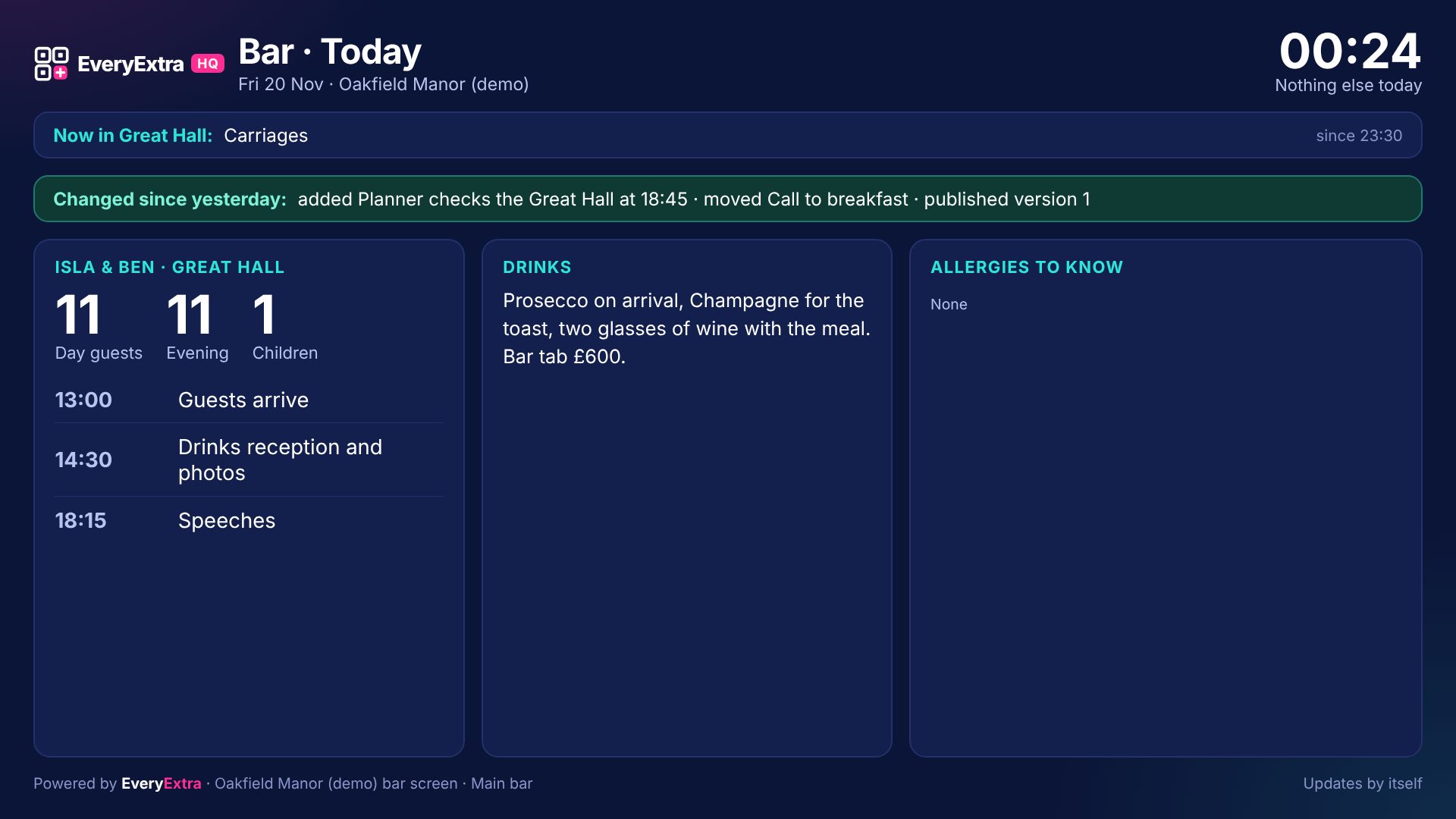
Wedding day management for when speeches overrun by twenty minutes: the duty manager tells the control app once. The kitchen screen, the bar screen and the Live Day View on every supplier’s phone all move with it, within seconds.
Part of EveryExtra for venues. See plans or download the brochure (PDF).
Twenty Minutes Late, And Nobody Told The Kitchen
Every wedding runs late somewhere. The trouble isn’t the delay, it’s the six people who need to know about it: the chef plating up, the bar pouring the toast, the DJ, the photographer, the coach driver.
On paper, that’s someone running between rooms. With HQ it’s one tap. The running order everyone planned from becomes the live running order for the day.
How It Works
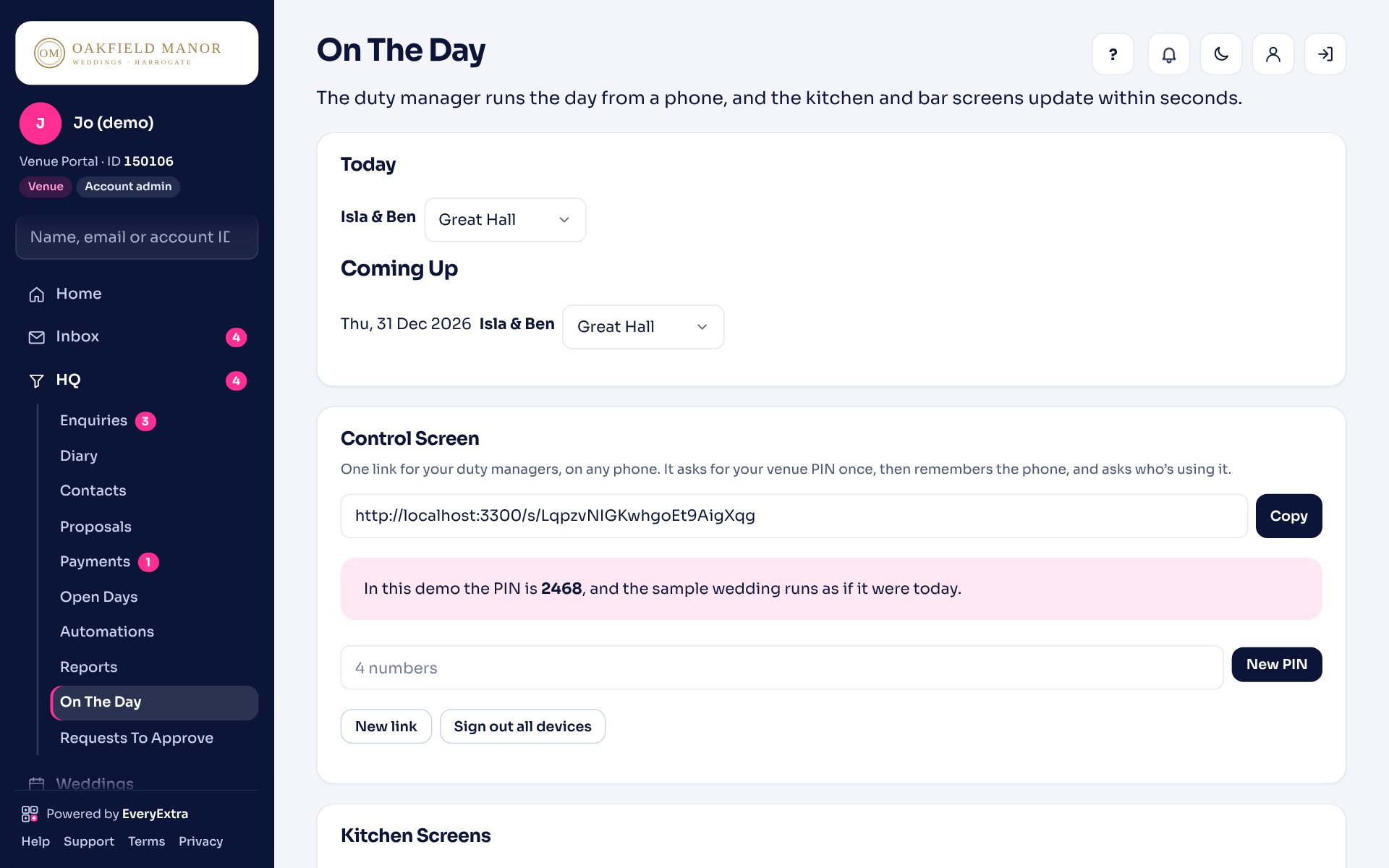
The real screens, step by step. It moves on by itself; tap a step to stay on it.
Live Day View For Suppliers And Staff
Everyone else follows on their own phone. Live Day View is a view-only running order with a link and a QR code for each wedding: what’s on now, what’s next, any times that have moved and “Running 15 minutes late” at the top.
Suppliers see their own part of the day highlighted. Nobody can change anything from it, so there’s still only one place the day is run from.
Who Uses It
Duty Managers
One place to run the day, and no more walking to the kitchen to say speeches are still going.
Chefs
Plate up to the real time, with allergies and numbers in front of you.
Bar Managers
Pour the toast when the room is actually ready for it.
DJs, Photographers And Other Suppliers
Follow the day live on their own phone from a link or QR code.
Compared With How Venues Do It Now
| Situation | Spreadsheets and email | A general CRM | EveryExtra HQ |
|---|---|---|---|
| Speeches overrun | Someone runs to the kitchen | Not something it does | One tap; every screen and phone moves |
| The kitchen’s copy of the day | Printed that morning | Not something it does | A live screen, right to the second |
| Suppliers on the day | They ask a member of staff | Not something it does | Live Day View on their phone |
| Afterwards | Nobody remembers what moved | Not something it does | An Event Log of every change |
See EveryExtra HQ In A Minute
From the first enquiry to the last dance.
Questions
What do the kitchen and bar screens need?
Any TV or tablet with a web browser. Open the link once and leave it. The screens rest when there’s no wedding and wake on the next wedding day.
What if nobody marks a moment as finished?
It goes grey on the Live Day View once the next moment starts, and half an hour later it’s marked Auto finished, so it’s clear it wasn’t pressed.
Can staff change things from the Live Day View?
No. It’s view only. Changes are made in the control app, by people who know your venue PIN.
Does it need the venue’s wifi?
It needs an internet connection, on wifi or mobile data. The control app is light enough to run on a phone signal.
The Rest Of EveryExtra HQ
Each part shares the same record for every couple, so nothing needs joining up.
Enquiries And Diary
Every enquiry on one board, with an owner and a next step.
Proposals And Contracts
A priced proposal in minutes, accepted and signed on a phone.
Payment Schedules
Deposits, instalments and balances, with reminders that send themselves.
Planning Each Wedding
One plan for the couple, their planner, your team and every supplier.
Open Days
Bookings, check-in and follow-up for open days and evenings.
Everything For Venues
The whole system, the plans and what every couple gets from you.
Run Your Venue From One Place.
Register in a few minutes. We’ll check your details and email you when you’re live.
Rather be shown round? Book a 30-minute demo with Wayne, the founder.